
How to Change Your Business Name on Google: Edit It or Start Over?
Changing your business name? Here are Google's steps, the test that decides if it's an edit or a new listing, and what happens to your reviews.

The short answer
Open your Google listing, select Edit profile, change the name and save. Google can take up to 30 days to review it. But if the names or services in your business name change, or your category does, Google calls it a new business, and your reviews stay on the old listing. A business with more than one location may keep its listing.
The rest of this guide shows you how.
On this page
Your Google listing is the one on the map with your reviews and the Call button. To change the name, open it, select Edit profile, type the new name and save. That's the easy part. What matters is whether Google sees a small change or a new business.
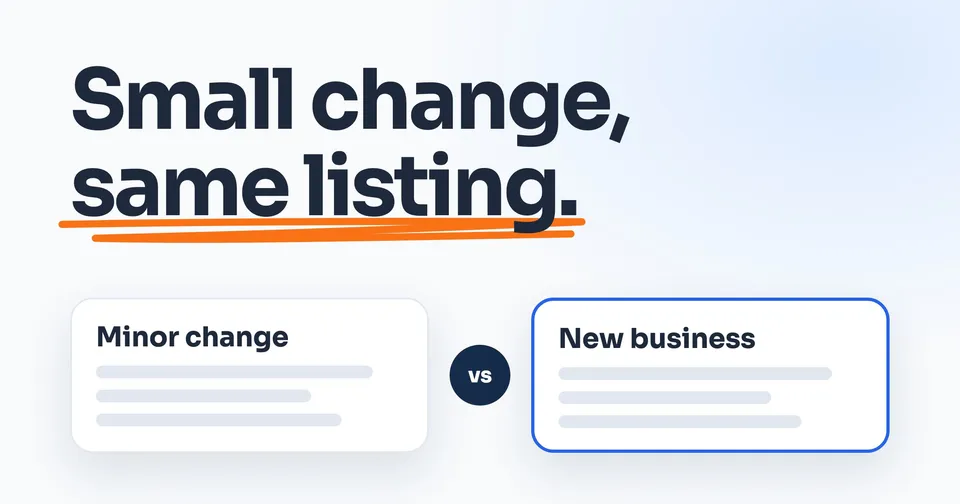
Google's test has three parts: the names in your business name stay the same, the services it names stay the same, and so does your category. Pass it, and Google may let you edit the listing you have, and your reviews stay. Fail it, and Google calls it a new business: the old listing gets marked closed, a new one starts from zero, and the reviews stay behind. A business with more than one location may keep its listing even with a new name.
So check Google's test first, put the new name on your trucks, invoices and website, then edit. And if you just bought the business, get its listing, phone number and website address into your name before anything gets renamed.
First, is it a small change or a new business?
Google sorts every rename into one of two boxes. The first it calls rebranding: "an eligible name change without creating a new Business Profile." A minor change may qualify, "in which the proper nouns and services described in the business name remain unchanged and the business category remains unchanged." Proper nouns are the names: Smith, Gulf Coast, Bayside. Services are the trade words: Plumbing, Roofing, Air.
There's a second way in: "You may also be eligible for rebranding if you have multiple locations and the business name changes."
Anything else, and "it's considered a new business." Google says to mark the old listing closed and create a new one under the new name. Typing the new name into the old listing anyway doesn't get around the rule: Google says it "may reject some types of edits, such as significant changes to the business name or category."
Our reading of three common renames, not Google's rulings:
- Smith Bros Plumbing to Smith Brothers Plumbing. Same name, same service, same category. A minor change.
- Smith Plumbing to Gulf Coast Plumbing. The name in it changes. A new business by our reading, unless you have more than one location, which Google says may also qualify.
- Smith Plumbing to Smith Plumbing & Air, common when a plumber adds heating and cooling. The services in the name change, and we read Google's wording as more than minor.
Not sure which box you're in? We'd ask Google's support team before you save. Google's rebranding rules send "any issues with rebranding" there too.
Put the new name on your trucks and website first
Change the name on your trucks, invoices and website before Google, not after. Google wants your name entered "exactly as it appears on your real world business signage." If it asks you to prove the business on a live video call, it can ask to see your "branded equipment, marketing materials, or tools." And if you ever appeal, Google says to check that the name and address on every document match your listing.
So put the new name on your website, your invoices and at least one truck or sign, then on Google. A name that's on Google and nowhere else is a name you can't prove.
What the new name can't include
Keep it to the name. Google says "Including unnecessary information in your business name isn't permitted, and could result in the suspension of your Business Profile." Its list of what doesn't belong includes service, product or location information that isn't part of your real name. Smith Plumbing & Air can be a name. Smith Plumbing & Air Tampa Best AC Repair is a name with extras that could get the listing suspended. Even "LLC" needs proof: Google allows legal terms only when your signage, cards or invoices show them as part of the name. Google's full list, with its examples, is in its guidelines, and here's what happens when a name breaks the rule.
How to change your name on Google, step by step
On a computer
Sign in to the Google account linked to your listing. Go to your Business Profile, select Edit profile, change the name in the Business name field, and select Save.
On your phone
Open the Google Maps app, tap Business at the bottom right, then Edit profile. Change the name and tap Save. Google says "You can edit your Business Profile directly on Search or Maps," and it's the same listing either way, so change it once.
If Google calls it a new business
Close the old listing: select Edit profile, then Hours, then Edit next to Hours, pick Permanently closed, and save. Google says a closed listing "may still appear on Search and Maps for users who search for it," and "It clearly shows that your business is closed."
Then create the new listing under the new name and get it verified, which means Google confirms the business is real and yours. Here are the verification steps. Don't run the two side by side: "You can have only one Business Profile for each business," and a duplicate "won't show on Google Search or Maps."
What happens after you save
Google reviews it
Most edits are reviewed within 10 minutes, but Google says some take up to 30 days. Until then, the edit shows as Pending. If Google can't confirm the new name is accurate, it comes back Not approved.
You might need to verify again
Google's page says that if you change the name after the listing is verified, "you might need to verify your business again." Might, not will. If it asks, Google says verification reviews usually take up to 5 business days, and the claim guide walks through the methods. If your listing isn't verified yet, verify it first: Google lets you type a new name into an unverified listing, but its policy page says it "may reject content added to unverified profiles." And if a verification postcard is already in the mail, Google says "Do not edit your business name, address, or category on your Business Profile." Wait for the code.
If it comes back Not approved
In the US, a rejected name edit is appealed through Google's contact form, not its appeals tool: Google says "you must contact us to appeal" a "Rejected business information edit." Have proof ready with the new name on it. Google's examples include "Official business registration," "A business license," "Tax certificates" and utility bills for the business.
If you run Local Services Ads
Google is moving Local Services Ads into Google Ads, starting in August 2026 and reaching businesses without a storefront in late 2026. Once yours has moved, the name comes from your Google listing, and Google says "significant updates to your business name or physical address will trigger a standard verification review." That review "typically takes 24 to 48 hours, during which your campaign may temporarily pause." So a big rename is best saved for a slow week, not the first hot one of the summer.
What happens to your reviews
If Google counts your new name as a minor change, or you have more than one location, Google says "the reviews remain."
If it counts as a new business, the reviews stay too, but on the old listing, the one you marked closed. Google says "the reviews remain on the profile," and customers can't leave new ones on a permanently closed listing. Your new listing starts with none. Google also warns: "If significant business changes occur, we might remove irrelevant reviews."
That matters because reviews are part of how Google judges how well known you are: its ranking page bases prominence partly on "how many reviews you have."
Moving too? Google moves reviews automatically after a move when the name stays the same, so here's how to change your address on Google.
Can you merge two listings?
Only two listings of the same business. Google's way is to "report a suggestion on Google Maps," and "All merge requests are subject to review." When one goes through, "their reviews are combined, but replies to reviews may be lost." The two "must represent the same business and should have the same info." Google's pages don't describe a merge as a way to move reviews to a name it treats as a new business.
If you bought the business
Get the listing moved to you first
Leave the name alone for now and get the listing into your hands. Google's tip: "you first need to have the previous owner add you as an owner and transfer ownership to you." Only the seller's primary owner account can hand it over, and a new owner "must wait 7 days before they can manage all the features." So we'd have the seller add you as an owner at least a week before closing, then make you primary owner once the 7 days pass.
If you can't reach the seller, the route depends on the business. With a shop or office, you request ownership in Google, and the current owner "has 3 days to respond." With no shop or office, Google's route is its support team: here's how that works.
A new owner isn't a new business
Google says not to make a new listing just because the owner changed, and "If a business has a new owner or manager but keeps the same name, the reviews remain." Renaming it to your brand goes through the same test as any rename. Google's policy page adds that if "the business has changed significantly," it "should be marked as permanently closed and not renamed." Whether folding a company you bought into yours counts, Google's pages don't say. Ask its support before you rename.
Keep its phone number
Past customers have the number saved, and Google says a listing's number "must be under the direct control of the business." Make the seller's phone account part of the deal. If you move the number to your own phone company, don't cancel the old service until the new company has started the move, the FCC says, and ask about fees, because "Companies may charge you to port your number."
Get the website address into your name
The website address, the domain, has to move into your name too. For a .com and most other endings, ICANN's transfer rules require the registrar, the company the domain is paid through, to confirm that both the old owner and the new one have "explicitly consented" before it changes hands. Under ICANN's rules as of October 2026, the registrar then locks the domain against moving to another company for 60 days, unless it offered an opt-out and the owner took it beforehand. To avoid that lock, ICANN's policy advises moving the domain to the new company first, then into your name. If the company's old website is going away, the full plan for a company you bought covers how to send its pages to yours.
Then update your other listings
Changing your Google listing changes your Google listing, and nothing else. Your Bing and Apple Maps listings, Yelp and the directories for your trade keep the old name until you change them, and so do the business details built into your website's code, your cards and your email signature. Do them the same week, so nobody searching for you finds two different businesses.
Try it with your numbers
What missed calls cost youDrag to your own numbers
- Missed calls a month
- 13
- Jobs those calls would have booked
- 5
- Work you lose in a month
- $4,157
Your numbers, your arithmetic: calls a week, times 4.33 weeks, times how many would have booked, times your average job. Revenue, before your own costs.
People also ask
Can I change my business name on Google and keep my reviews?
Yes, when Google counts it as a minor change: the names and services in your business name stay the same, and so does your category. A business with several locations that renames keeps its reviews too. Anything bigger, Google calls a new business. You close the old listing, and its reviews stay there, on a listing that can't get new ones.
How long does a name change take to show on Google?
Google says edits "usually take up to 10 minutes to review," but "sometimes it can take up to 30 days." Until then, your profile shows the edit as Pending. If Google asks you to verify again, that review usually takes up to 5 business days, and on rare occasions longer. And once your Local Services Ads have moved into Google Ads, a big name change brings its own review, which Google says typically takes 24 to 48 hours.
How do I change my business name on Google Maps?
It's the same listing you see on Google Search, so you change it once. In the Google Maps app, tap Business at the bottom right, then Edit profile, change the name and tap Save. Google reviews the change before it shows, and the same test applies: a big change can count as a new business.
How do I merge two Google Business Profiles?
Only when both listings are for the same business. You report it as a suggestion on Google Maps, Google reviews the request, and if it goes through, the reviews are combined, though replies to them may be lost. It isn't a way to join two different companies, or to move reviews to a name Google treats as a new business.
Will changing my business name hurt my ranking on Google?
Google doesn't say, so we won't guess. Its ranking page says prominence, "how well-known a business is," is based partly on "how many reviews you have." An edit keeps your listing and its reviews. A name Google treats as a new business starts over on a new listing with none.
Sources
- Google Business Profile Help, Guidelines for representing your business on Google, read 5 October 2026.
- Google Business Profile Help, Edit your Business Profile, read 5 October 2026.
- Google Business Profile Help, Understand what happens to your Business Profile edits, read 5 October 2026.
- Google Business Profile Help, Move your reviews across Business Profiles, read 5 October 2026.
- Google Business Profile Help, Overview of Google Business Profile policies, read 5 October 2026.
- Google Business Profile Help, Mark your business as closed, read 5 October 2026.
- Google Business Profile Help, Resolve duplicate profiles & ownership issues, read 5 October 2026.
- Google Business Profile Help, Request ownership of a Business Profile, read 5 October 2026.
- Google Business Profile Help, Transfer primary ownership of a Business Profile, read 5 October 2026.
- Google Business Profile Help, Verify your business on Google, read 5 October 2026.
- Google Business Profile Help, Appeal Business Profile content and profile restrictions, read 5 October 2026.
- Google Business Profile Help, Tips to improve your local ranking on Google, read 5 October 2026.
- Google Ads Help, Local Services Ads transition to Performance Max campaigns with pay-per-lead goals, read 5 October 2026.
- FCC, Porting: Keeping Your Phone Number When You Change Providers, read 5 October 2026.
- ICANN, Transfer Policy (2024 version), read 5 October 2026.
Keep Reading
 Stage 1: Foundation How to Change Your Business Address on Google Without Starting Over Moving too? Change the address without starting over. 8 min read · Read the Guide →
  Stage 1: Foundation How to Claim Your Business on Google When You Have No Shop Verifying, and getting a listing someone else holds. 8 min read · Read the Guide →
  Stage 1: Foundation Google Business Profile Suspended? What to Check Before You Appeal What gets a listing suspended, and how to appeal. 8 min read · Read the Guide →