
How to Get Your Business on Apple Maps, Shop or No Shop
Apple Maps place cards are for an address customers visit. Here's how to get on with a shop, and what Apple offers a business that goes to the customer.

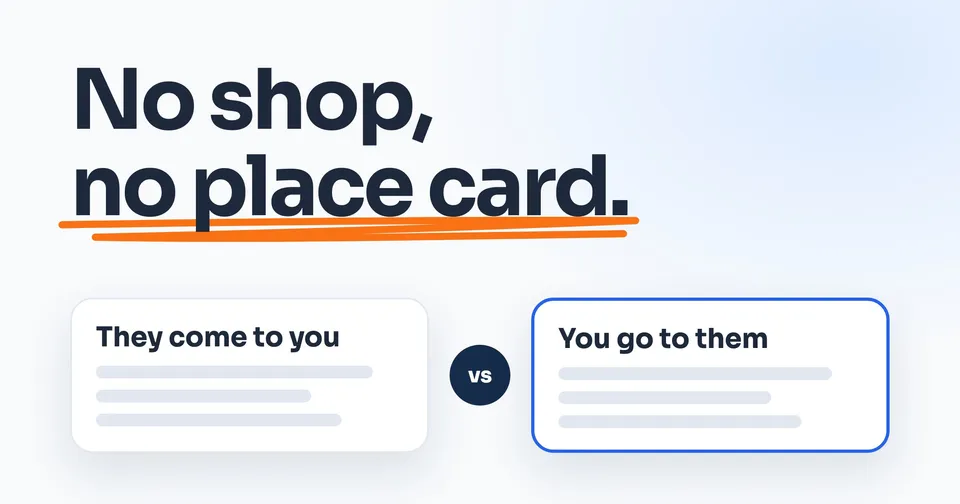
The short answer
Sign up free at business.apple.com, verify your business, then add your location to get an Apple Maps place card. Apple's place cards are for an address customers come to during open hours, and its guide has no setting to hide it. With no shop, Apple Business has no way to give you one today.
The rest of this guide shows you how.
On this page
- First, it's called Apple Business now
- The catch: Apple wants an address customers come to
- Have a shop or office customers visit? Here's how to get on
- No shop? Here's what Apple Business still does for you
- Why your business may be on Apple Maps already
- Siri and iPhone search use the same listing
- What to do this week
To get your business on Apple Maps, sign up free at business.apple.com, verify your business with Apple, then add your location. Once Apple approves it, your business has a place card: the panel that opens when someone taps your business in Apple Maps, with your hours, phone number and website.
Here's the part most guides skip. Apple's place cards are for an address customers come to. Apple says it must be the address "customers use to travel to or to find you." Google lets a business that goes to the customer hide its address and show the area it serves. Apple's guide has no setting like that.
So this guide splits in two. If customers come to your shop or office, here's how to get on. If you go to them, here's what Apple offers you today, and what to skip.
First, it's called Apple Business now
If you've looked into this before, you may have seen older names: Apple Maps Connect, then Apple Business Connect. On April 14, 2026, Apple replaced Business Connect with a free platform called Apple Business. Apple says it "combines the capabilities previously found in Apple Business Manager, Apple Business Essentials and Apple Business Connect." When we checked on October 4, 2026, the old web addresses for both sent you to business.apple.com, so a guide that still says Maps Connect describes screens that are gone.
If you already claimed your business under Business Connect, you don't start over. Apple said existing data, including claimed locations, place card information and photos, "will automatically migrate to Apple Business at launch." Sign in with the Apple Account you used before.
And it costs nothing to start. Apple says Apple Business "is free to get started," and that includes "place card customization on Apple Maps."
The catch: Apple wants an address customers come to
Apple defines a location as "A physical place where an organization conducts business with customers." The address has to be the one customers use to find you, and "The address officially listed on your website." The map pin goes "on top of the building, centered over your location." Apple even calls the place card "an extension of a physical location."
Google works the other way. Its guidelines say "If you're a service-area business, you should hide your business address from customers," and then your listing shows only the area you serve. Here's how to hide your address on Google. We read every page of Apple's Business guide on October 4, 2026, and none of them has a setting like that: no way to hide an address, no service area.
So here is the straight answer for a plumber, a cleaner or a pest control tech who works out of the truck: Apple Business has no way to give you a place card today. Nothing you did caused that. It is what Apple's rules say.
Putting your home address on Apple Maps to get a place card anyway. Apple's rule is that the address is one customers travel to, and its guide has no setting to hide it once it's there.
If customers come to you by appointment
Apple allows that: "If your location is accessible to customers by appointments only, list the hours during which appointments can be made." There is still no setting to hide the address, so this fits something like a small showroom you open on request.
Have a shop or office customers visit? Here's how to get on
Apple's order is simple: sign up, prove the business is yours, then add the location.
- Sign up at business.apple.com with your work email. Apple wants the first account in "a legal, human name," so use yours, not a job title.
- Verify your business. Verifying means proving to Apple the business is real and yours, and it's the step that takes time. Apple asks for two kinds of proof. The list includes your EIN (your federal tax ID number), a record added to your domain's settings, and documents such as your business license, a lease or a utility bill. Apple says it "can take up to five business days to complete."
- Add your location. Choose Brands, then Locations, then Add, and type your business name. If Apple already has you, select it. If not, choose "Add a new location with this name." Enter your address, and drag the map if the pin sits on the wrong building.
- Fill in the place card. The name customers see, one main category (plus up to 19 more), your phone number, your website and your hours. Apple accepts a Facebook, Instagram or TikTok page in place of a website.
- Verify by phone, if Apple offers it. If your business was already on Apple Maps, you can choose phone verification. Apple calls the number it has on record for that location, and you enter the four-digit code.
Start verifying the day you sign up. Apple gives you 60 days, and if it can't approve you in that time, it deletes the account and you start again.
If Apple tells you "This location is already managed," someone else claimed it. You don't need them: add the location anyway, choose Request Transfer, and attach "supporting documentation, such as a business license or utility bill." Apple says "The review can take up to five business days."
Then keep an eye on your email
Customers can report a wrong detail on your place card, and "Apple reviews these reports and edits your place card." When Apple changes your name, status or hours, it emails you. If the change is right, select Looks Good. If it isn't, edit the location back to the right details. For a shop whose hours change with the season, this is the part to watch.
No shop? Here's what Apple Business still does for you
Apple says Apple Business is also for "a business without a physical location that provides a service." Here is what it offers one.
Your brand. In Apple Business, that's your business name and logo, which Apple checks, plus your category and website. Apple says to choose a single brand "if you don't have a physical location where customers can go or for a small business." Adding a brand, Apple says, "lets customers find it in Maps, Apple Wallet, Siri, and more." Its guide doesn't say how a brand with no location shows up in a Maps search.
Branded Mail. Your logo next to the emails you send, for customers who read them in Apple's Mail app. It only works from an email address on your own domain: Apple doesn't allow it for gmail.com, yahoo.com, outlook.com or icloud.com addresses. Your email also needs two security settings, DMARC and DKIM, which whoever set up your email will know. Apple's review "can take up to seven business days."
Your logo on Tap to Pay on iPhone. Tap to Pay lets you take a card payment on your iPhone at the end of the job, "without any extra terminals or hardware." It works through "a supported app from the App Store," and your payment provider processes the payment. Link your brand in Apple Business, and its logo and name show on the payment screen.
And one thing to skip: ads on Apple Maps. Apple now sells ads on Maps in the US and Canada, but its ad policy bans ads that promote home services. It names them: "including but not limited to plumbing, electrical, locksmith, HVAC, pest control, roofing, or general contracting services." Apple also wants advertisers to have "business locations and an address for their organization" in those countries. If anyone offers to get you into Apple Maps ads, Apple's own policy says no.
Why your business may be on Apple Maps already
Your business can be on Apple Maps without you ever signing up. Apple's Maps credits list "Business listings data" from dozens of companies, among them Foursquare, Tripadvisor and Yext, plus "Reviews from Yelp." Apple's guide says place cards show content "based on data provided by the Apple ecosystem and related partners," and anyone with an iPhone can add a business that's missing.
Apple doesn't say which details it takes from where. So our advice is to keep your listings the same everywhere. Use the same business name, phone number and website on every listing you control, and keep your home address off any listing customers can see.
If Apple Maps already shows your business at your house, Apple's guide has no step to hide it. Removing a location from your account may not take it off the map either: Apple says "it may still appear in Apple Maps." Contact Apple Business Support from inside your account and ask.
Siri and iPhone search use the same listing
Apple's guide has no separate Siri sign-up. Apple says your place card "appears in many Apple apps, from Maps to Siri to Calendar, Messages, and Spotlight searches." Spotlight is the search on your iPhone itself. Get the place card right in Apple Business, and Maps, Siri and Spotlight all use it.
What to do this week
- Get Google right first. Google lets you hide your address and show the area you serve. Here's how to claim it with no shop.
- Shop or office customers visit? Claim it in Apple Business, and start verifying the same day.
- No shop? Set up your brand, and Branded Mail if your email is on your own domain. Then search your business name in Apple Maps on an iPhone and see what's already there.
- Make every other listing match: Bing, Yelp and your trade directories.
People also ask
Is Apple Business free?
Yes. Apple says Apple Business "is free to get started" and includes "place card customization on Apple Maps." Apple charges for extras such as more iCloud storage, AppleCare+ for Business and ads on Apple Maps. Those ads are off the table for home service businesses anyway: Apple's ad policy prohibits ads that promote home services.
How do I get my business listed on Siri?
Apple's guide has no separate Siri sign-up. Apple says a place card "appears in many Apple apps, from Maps to Siri to Calendar, Messages, and Spotlight searches," so getting it right in Apple Business covers Siri too. With no shop, Apple says adding a brand "lets customers find it in Maps, Apple Wallet, Siri, and more." Its guide doesn't say how that looks.
How do I update my business address on Apple Maps?
Sign in to Apple Business, choose Brands, then Locations, and select the location. If the pin is on the wrong building, drag the map. Apple's guide shows no separate step for changing the address itself, so for a move, contact Apple Business Support from inside your account. Never enter a home address customers don't visit: Apple wants the address "customers use to travel to or to find you."
Why is my business not showing on Apple Maps yet?
Check what's waiting on Apple. Verifying your business can take up to five business days, and you have 60 days to finish it before Apple deletes the account. If Apple says "This location is already managed," someone else holds it: add it anyway, then request a transfer with a business license or utility bill.
Do I need to claim my listing again after the Apple Business Connect change?
No. Apple said existing Business Connect data, including claimed locations, place card information and photos, "will automatically migrate to Apple Business at launch," which was April 14, 2026. Sign in at business.apple.com with the Apple Account you used for Business Connect, and your listing should be there.
Sources
- Apple Support, Apple Business Connect is now Apple Business, read 4 October 2026.
- Apple Newsroom, Introducing Apple Business, 24 March 2026, read 4 October 2026.
- Apple Business, Support, read 4 October 2026.
- Apple Business User Guide, Intro to Apple Business, read 4 October 2026.
- Apple Business User Guide, Glossary, read 4 October 2026.
- Apple Business User Guide, Configure location attributes, read 4 October 2026.
- Apple Business User Guide, Sign up and verify your organization, read 4 October 2026.
- Apple Business User Guide, Requirements, read 4 October 2026.
- Apple Business User Guide, Add a single location, read 4 October 2026.
- Apple Business User Guide, Maintain location information accuracy, read 4 October 2026.
- Apple Business User Guide, Edit or remove a single location, read 4 October 2026.
- Apple Business User Guide, Get support for Apple Business, read 4 October 2026.
- Apple Business User Guide, Brand identity attributes, read 4 October 2026.
- Apple Business User Guide, Add a brand, read 4 October 2026.
- Apple Business User Guide, Intro to Branded Mail, read 4 October 2026.
- Apple Business User Guide, Intro to Tap to Pay on iPhone, read 4 October 2026.
- Apple Business User Guide, Tap to Pay on iPhone FAQ, read 4 October 2026.
- Apple Business User Guide, Promote your business on Apple Maps, read 4 October 2026.
- Apple Business User Guide, Create ads, read 4 October 2026.
- Apple Ads, Maps programming policies, read 4 October 2026.
- Apple Maps, Acknowledgements, read 4 October 2026.
- iPhone User Guide, Report an issue with Maps on iPhone, read 4 October 2026.
- Google Business Profile Help, Guidelines for representing your business on Google, read 4 October 2026.
- Google Business Profile Help, Manage your business address, read 4 October 2026.
Keep Reading
 Stage 1: Foundation How to Claim Your Business on Google When You Have No Shop Google lets a business with no shop hide its address. Here's how to claim it. 8 min read · Read the Guide →
  Stage 1: Foundation Why Is My Business Not Showing Up on Google? 6 Checks If customers can't find you on Google either, run these checks. 7 min read · Read the Guide →
  Stage 1: Foundation How to Change Your Business Address on Google Without Starting Over Moving? Edit the listing you have, then every place your address lives. 8 min read · Read the Guide →