
How to Change Your Business Address on Google Without Starting Over
Moving? Edit the Google listing you already have. Here are Google's steps, the verification that comes after, and what to do if you go to your customers and hide your address.

The short answer
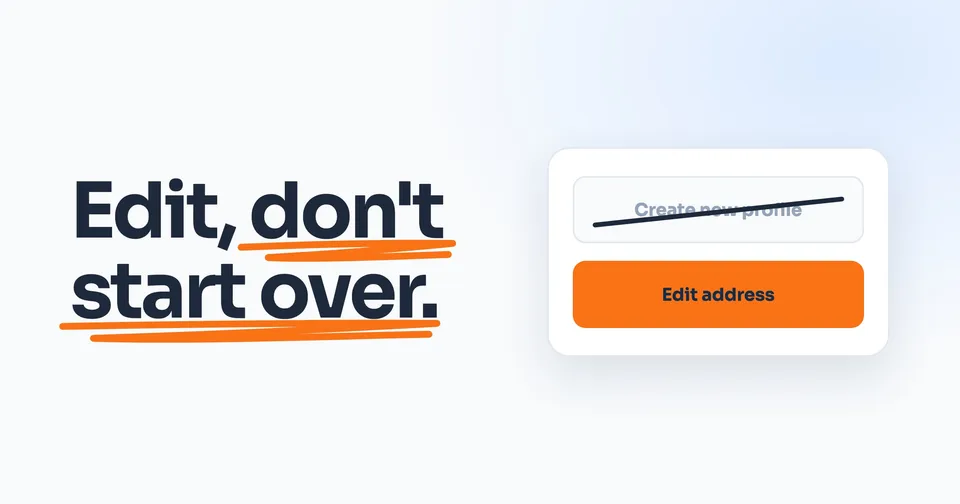
Open your Google listing (your Business Profile), select Edit profile, then Location, and change the address next to Business location. Google reviews the edit, which usually takes about 10 minutes but can take up to 30 days, and a verified business that moves must verify again. Edit the listing you have. Never make a new one.
The rest of this guide shows you how.
On this page
- First, did you move or did you close?
- How to change your address, step by step
- What happens after you save
- If you go to your customers and hide your address
- Will you keep your reviews and your spot on the map?
- If your listing disappeared or still shows the old address
- Then update everywhere else your address lives
Moving the business doesn't mean starting over on Google. The listing you already have, with its reviews, is the one to keep: Google says a business that moves should update its existing listing, not make a new one, and your reviews move with you if your name stays the same.
Saving the new address is the easy part. After it, Google reviews the edit, a verified listing has to verify again, and a business that hides its address has its service area to redo. Google's instructions for all of this are spread across at least eight help pages.
First, did you move or did you close?
Your Google listing is what Google calls your Business Profile: the one on the map with your reviews and the Call button. A move is an edit to it. Google's words: "If your business relocates, do not create a new Business Profile for the new location. Instead, update the existing profile with the new address."
Google says "You can have only one Business Profile for each business," and "If a profile is considered a duplicate, it won't show on Google Search or Maps." Your reviews would also stay on the old one unless you ask Google to move them.
Closing is for a business that has actually shut. A listing marked permanently closed "clearly shows that your business is closed."
Google Maps also has a "Moved to a new location" option, but it sits in the suggestions anyone can send about a place. Google's tip for owners on that page: "If you own or manage a business, learn to edit your business information."
How to change your address, step by step
On a computer
Google's steps, in its own order:
- Go to your Business Profile.
- Select Edit profile, then Location.
- Next to "Business location," select Edit.
- Enter your address details.
- Select Save.
On your phone
Open the Google Maps app. At the bottom right, tap Business. Then it's the same steps: Edit profile, then Location, Edit next to "Business location," the new address, and Save.
If Google can't find the new address
Type the official address, and "Include building, suite, and floor numbers and other unit info." Google's examples of what to avoid are "Corner of Main St. and Broadway Ave." and "Across from Central Park." It allows cross-streets or landmarks only "In places where the official address isn't accurate." And "If your address doesn't have a street number or if the system can't find a correct address, you can pin your location on the map."
No PO boxes, no virtual offices
Google's guidelines: "P.O. boxes or mailboxes located at remote locations aren't acceptable." If you rent a mailing address you don't work from, which Google calls a virtual office, "that location isn't eligible for a Business Profile."
What happens after you save
Google reviews the edit first
Google says: "We review your changes before we update them live on your profile." Its address page says changes "usually take about 10 minutes to show up. In some cases, it can take up to 30 days." So don't panic on day two.
In your profile editor, the edit is marked Pending, which Google explains as "Your edit is still under review." When it's Accepted, "Your updated info displays on your Business Profile." It can also come back Not approved: "Google might not approve changes if it can't confirm its accuracy."
Then you verify again
Google: "If you move your business to a new address after it's verified, you must verify your business again."
Google decides which ways you're offered: "The verification options available to you depend on your business type, public info, region, or business hours." The options can include a phone call or text, an email, a video or a postcard, and if more than one shows up, you can try another. Once you've done your part, Google says "verification reviews take up to 5 business days," and "On rare occasions, reviews may take longer."
If Google sends a postcard, leave the listing alone
"Most codes arrive within 14 days." While you wait: "Do not edit your business name, address, or category on your Business Profile. If you do, the code we sent you won't work." Don't ask for another one either: "Do not request a new code. If you do, we invalidate the code in the mail and send a new one." Codes "expire after 30 days," so enter yours when it comes.
If you go to your customers and hide your address
If customers never come to you, your street address isn't on your listing. After a move, there are still two things to check.
Your address
Google's guidelines, using a plumber who runs the business from home as the example, say to "clear the address from your Business Profile." On the address page, that's a switch: under "Remove your address," you turn off "Show business address to customers" on the Location screen.
If your old address is still saved behind that switch, change it to the new one on the same screen and leave the switch off. Google's verify-again rule for a business that moves has no exception for a hidden address.
Your service area
Google measures it from your base: "The boundaries of your overall area shouldn't be more than about 2 hours of driving time from where your business is based." A move changes where you're based, so towns that fit before may not fit now, and towns you can reach now may belong in the list.
To change it: Edit profile, then Location, then Edit next to "Service area." You can list up to 20, "based on the cities, postal codes, or other areas you serve," and "You can't set your service area as a radius distance around your business." Google says approved service area edits "may take up to 48 hours to show."
If customers also come to you
Some businesses do both, like a shop with a showroom. Google: "If you serve customers at your business address and also have a service area: Enter both your address and service area." Then your address shows, and Google says businesses showing an address "should maintain permanent fixed signage of their business name at the address."
Will you keep your reviews and your spot on the map?
Your reviews
"If you move to a new address and keep the same business name, Google will transfer your reviews automatically." Google gives examples where that might not happen: "hotels, golf courses, or scenic attractions." If you already made and verified a new listing, Google's fix is to contact it: "If you unintentionally created and verified a new profile due to a change in physical location or ownership change, contact us to transfer your reviews from the old profile to the new one."
Your spot on the map
Google doesn't say what a move does to your position, so we won't guess. Its ranking page names three factors: relevance, distance and prominence. Distance "refers to how far each business is from the customer who's searching," so a new address can change who you're close to. The same page doesn't say how distance works for a business that hides its address.
What Google does say: "Businesses with complete and accurate info are more likely to show up in local search results," and "There's no way to request or pay for a better local ranking on Google." Keep the listing accurate, and keep the reviews coming.
If your listing disappeared or still shows the old address
Work through these in order:
- Give it time. A Pending edit can take up to 30 days.
- Look for the Get verified button. Google says that when it "appears on your Business Profile again, it means Google couldn't completely verify your business." Start there.
- If the edit came back Not approved, appeal it. Google says you "might be able to appeal rejected business information edits." Outside the UK and the European Economic Area, its appeals page says to use its contact form for a "Rejected business information edit," and to pick the issue that fits.
- Two listings now? Keep one. If you made the new one by mistake, Google says you "can remove it without affecting your verified listing." Be sure it's the right one: "When you remove a duplicate profile, all content and linked managers will be removed."
- If it's gone from the map altogether, that's a different problem with its own list. We walk through the checks to run when your listing isn't showing up.
Then update everywhere else your address lives
Google won't update anything else for you. Your website still has the old address wherever it's written, including the footer, the contact page and any business details built into the page's code. Your Bing and Apple Maps listings, Yelp, your trade directories, and your invoices, trucks and cards all still say the old address until you change them. Do them the same week, so a customer never finds two answers.
If you hide your address on Google, keep your website consistent with that: show your city and the areas you serve, and the street address only if customers come to you. That's our recommendation, not a Google rule.
Try it with your numbers
What missed calls cost youDrag to your own numbers
- Missed calls a month
- 13
- Jobs those calls would have booked
- 5
- Work you lose in a month
- $4,157
Your numbers, your arithmetic: calls a week, times 4.33 weeks, times how many would have booked, times your average job. Revenue, before your own costs.
People also ask
Do I need to verify my Google listing again after changing the address?
Yes, if your listing was already verified. Google says: "If you move your business to a new address after it's verified, you must verify your business again." Google also says verification reviews take up to 5 business days, and if it sends a postcard, "Most codes arrive within 14 days."
How long does it take for a new address to show on Google?
Google's address page says changes "usually take about 10 minutes to show up. In some cases, it can take up to 30 days." If your listing was verified, verifying again adds its own wait: Google says verification reviews take up to 5 business days, and on rare occasions longer.
Should I delete my listing and make a new one at the new address?
No. Google says a business that relocates should not create a new Business Profile, and should update the existing one with the new address instead. If the business name stays the same, Google moves your reviews to the new address automatically.
My business address is wrong on Google. How do I fix it?
If you manage the listing, edit it: Edit profile, then Location, then Edit next to "Business location." Google may also update a listing itself when "sources report that your profile info is incorrect or outdated." In the profile editor, info Google changed shows in blue, and Google says "You can always update your Business Profile directly to ensure it remains accurate."
I work from home and hide my address. Do I need to do anything when I move?
Yes. If your old address is still saved behind the "Show business address to customers" switch, change it and leave the switch off. Redo your service area too, because Google measures it from where your business is based, with about 2 hours of driving as its guideline. And if your listing was verified, expect to verify again.
Will I lose my rankings if I change my address?
Google doesn't say what a move does to your position. It says local results are mainly based on relevance, distance and prominence, and distance is measured to the person searching, so a new address changes who you're close to. Your reviews move with you if the business name stays the same.
Sources
- Google Business Profile Help, Manage your business address, read 26 September 2026.
- Google Business Profile Help, Edit your Business Profile, read 26 September 2026.
- Google Business Profile Help, Understand what happens to your Business Profile edits, read 26 September 2026.
- Google Business Profile Help, Verify your business on Google, read 26 September 2026.
- Google Business Profile Help, Resolve duplicate profiles and ownership issues, read 26 September 2026.
- Google Business Profile Help, Move your reviews across Business Profiles, read 26 September 2026.
- Google Business Profile Help, Mark your business as closed, read 26 September 2026.
- Google Maps Help, Mark a place reopened or closed on Google Maps, read 26 September 2026.
- Google Business Profile Help, Guidelines for representing your business on Google, read 26 September 2026.
- Google Business Profile Help, Manage your service areas, read 26 September 2026.
- Google Business Profile Help, Tips to improve your local ranking on Google, read 26 September 2026.
- Google Business Profile Help, Appeal Business Profile content and profile restrictions, read 26 September 2026.
- Google Business Profile Help, Understand Google updates on your Business Profile, read 26 September 2026.
Keep Reading
 Stage 1: Foundation Why Is My Business Not Showing Up on Google? 6 Checks If your listing vanished after the move, the checks in order. 7 min read · Read the Guide →
  Stage 1: Foundation How to Get Google Reviews Without Breaking Google's Rules Your reviews move with you. Here's how to keep them coming. 8 min read · Read the Guide →
  Stage 1: Foundation Website CTAs That Get Contractors More Calls Your website has a new address too. Make sure it still gets the call. 7 min read · Read the Guide →