
Bing Places for Business: Claim It or Import It From Google
Import your Google Business Profile or claim your Bing listing by hand: Microsoft's steps, how long verifying takes, and how to hide your address.

The short answer
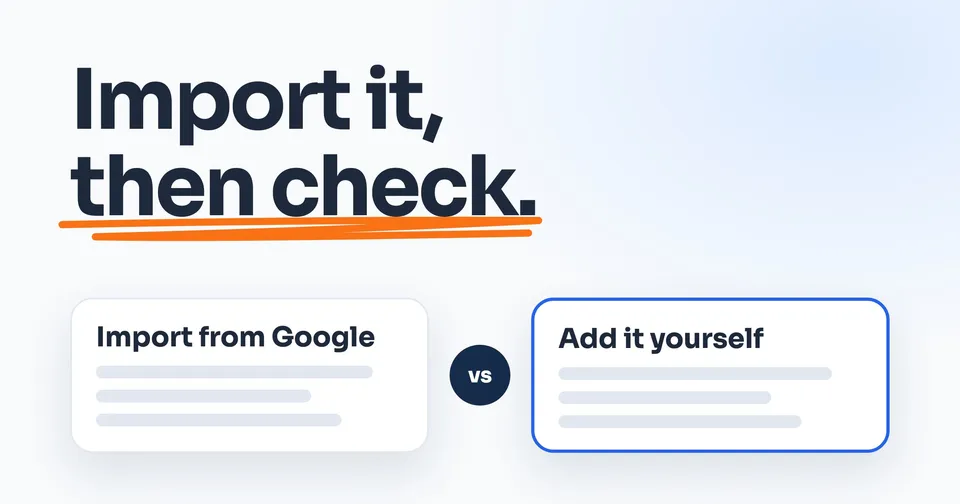
Sign in at bing.com/forbusiness, then import your Google Business Profile, or claim or add your listing on Bing. Import one Google has verified and Bing verifies it automatically; otherwise Bing sends a PIN. Publishing usually takes 7 to 12 days. Go to customers? Bing lets you hide your address, but after an import, check whether your street address shows.
The rest of this guide shows you how.
On this page
To get on Bing Places for Business, sign in at bing.com/forbusiness, then import your Google Business Profile or find your business on Bing and claim it. Import a listing Google has already verified and Microsoft verifies it for you. Otherwise, Bing sends a six-digit PIN, the code that proves the business is yours, by phone, text, email or postcard, whichever it offers you. Microsoft says a verified listing usually takes 7 to 12 days to go live.
Bing Places for Business is Microsoft's version of your Google listing: the name, phone number, hours and other details people see in Bing search results and on Bing Maps. If you go to the customer, Bing lets you hide your street address. The catch is the import: you edit an imported listing in Google, not on Bing, so check what it shows once it's live.
Microsoft's rules below come from its own help pages, read on October 4, 2026.
Do you need to be on Bing?
Bing is smaller than Google, so it's fair to ask whether it's worth your time. StatCounter, which counts the visits search engines send to the websites it tracks, put Bing at 9.89% of those visits in the US in September 2026 and Google at 85.19%. It counts clicks through to websites, not searches. On phones, Bing's share was 2.15%. So your Google listing comes first. If that one isn't showing yet, start with these checks.
Bing is still worth setting up. Microsoft calls Bing Places "a free Bing service." And Bing may already list you. Microsoft says "Bing uses many internal and external data sources to populate the information that appears in a Local Listing," so the hours or phone number it shows may be ones you never gave it. Claiming it gives you a say in what it shows.
Which way in is yours?
Start at bing.com/forbusiness and sign in. Microsoft accepts a Microsoft account, a work account, Google or Facebook, and "Any listings you claim or create will be associated with the email credentials you've used to sign in." So use an email you'll keep, not one that belongs to a past employee or an old web company.
Then pick your route:
- Your Google listing is verified and right: import it. That's the next section.
- Bing already lists you, and nobody has claimed it: claim it.
- Bing doesn't list you at all: add it.
Used Bing Places years ago? The old bingplaces.com address now sends you to bing.com/forbusiness.
Import it from your Google Business Profile
If your Google listing is verified and up to date, importing it is the short way. Claim and verify your Google listing first if you haven't, because Bing copies what's there.
In your Bing Places account, select Import from your Google Business Profile, choose how often to sync (weekly, every two weeks or monthly), sign in to Google, and import the listings Bing finds. Microsoft says what comes across "may include" your business name, address, phone number, hours of operation, photos and other available details. And Microsoft says "If your business is already verified in Google Business Profile, Bing automatically verifies the imported listing." If Bing already had a listing that matches, Microsoft says "Bing will use Google data to overwrite" it. From then on, updates you make in Google "may sync to Bing, though timing can vary." Syncing is Bing copying your Google listing again, on the schedule you picked.
Microsoft's own page lists the catches:
- It takes every listing it finds. "You cannot manually select specific listings to import."
- It can make a second one. "Syncing may create duplicate listings, especially if a listing already exists on Bing."
- You edit it in Google. "Direct editing isn't currently available" for a listing linked to a Google Business Profile. Change it in Google, then sync.
Turning sync off doesn't undo the link either. Microsoft says it "does not unlink your Google Business Profile from Bing Places. It only stops future synchronization."
If you hide your address on Google
We'd look at Bing once the import is live. Microsoft's page says an import may bring over your address, among other details, and that some fields "may not sync exactly between platforms." It doesn't say whether your hidden address and service areas come across. And you can't change a linked listing on Bing, so search Bing for your business name and city and see what shows. If your street address is there, that's a question for Bing Places Support, which opens once you sign in to your account. If you'd rather not take the chance, adding the listing by hand is the cautious route, because you set the hidden address yourself. That's our suggestion, not Microsoft's.
Claim it or add it yourself
To do it by hand, sign in and search Bing for your business name and town first. If Bing already lists you and nobody has claimed it, claim it. If there's nothing, select Create a new business. Either way, Microsoft says "any updates or changes will only go live after the listing has been successfully verified," and until then you may have "limited editing capabilities." On Bing Maps there's a shortcut: select the three dots next to your listing's name, then Manage business.
Bing checks what you enter against the rest of the web: your name, address, phone and hours are "only applied if they align with trusted external data." So type them exactly as they appear on your Google listing and your website.
A few of Microsoft's rules for the details:
- Your name: the name on your truck. Microsoft says "Do not use descriptors like 'best,' 'cheap,' or 'closed' in your business name, unless they are legally part of your business name." It doesn't accept "keyword insertion" either, like adding "Tampa plumber" to the name.
- Your phone: "Don't use a reseller or partner's phone number." Use the one customers reach you on.
- Your website: "Leave the field empty if you don't have a website."
- Your categories: up to 10, with one primary. Pick the primary that best describes the work you do most.
Hide your address and add your service areas
Microsoft says businesses "that bring services to the customer, like locksmiths, plumbers, and tutors, can hide their address from search results." Here's how, from Microsoft's help:
- Sign in, select your listing and click Edit.
- Enter your complete, real address and check a category is selected. Bing needs both before it lets you hide the address.
- Under Service areas, add the cities or ZIP codes you work in, up to 20, pressing Enter after each. "You can only hide your address when you provide the Service Areas you cater to."
- Find "Are customers expected to visit your address?" and choose to hide it.
- Save.
Your address still has to be real. Microsoft says it "is still required internally for verification and system purposes," so it has to be where you really work from. "You cannot use a PO Box as an address," and a mailing address you don't operate from won't do either. Your city still shows on the listing. And Microsoft says a service area "is only shown for selected categories," so don't be surprised if yours don't appear.
If someone else already claimed it
If Bing shows your business as claimed and it isn't you, don't start a new listing: when Bing marks one as a duplicate, "the editing panel is disabled." Microsoft says to "request access from the account owner so they can grant you permission to manage it." It may be a past web company or someone who used to work for you. Microsoft's help doesn't say what happens if they never answer. We'd go to its Support team next, and its contact page opens once you sign in.
How long it takes: verifying and publishing
Verifying is a six-digit PIN, sent by phone, text, email or postcard, whichever Bing offers you. Phone only comes up if the listing already has your business number and nobody has changed it. A postcard usually takes 5 to 6 business days in the US, and Microsoft says to "wait at least 12 days from when you requested verification before contacting support." If you imported a listing that Google already verified, you skip this step.
If the PIN won't work, someone may have started verifying from another account. Microsoft says your marketing company or another user may have "started the verification process on your behalf using a different account," and the PIN has to be entered from that same account. And if a marketing company sets up your listing as an agency, Microsoft sends the PIN "to your client's business email or address," so it may land with you.
Then comes what Microsoft calls the publish cycle, the wait between saving and going live: "typical timeframes are 7-12 days for North America." Your dashboard may show "Pending Publish" while it waits, and Microsoft says the listing can go live before that status changes. Every edit you make during the wait moves the date back, so make your changes once and leave it alone. Still not live after 12 days? Contact Support.
Keep it right once it's live
Bing can favor fresher sources over a listing nobody updates. Microsoft says other sources can take priority "if their information is fresher," and gives the example of Bing Places data that "hasn't been updated for more than 6 months." So sign in now and then. If you added the listing by hand, change Bing the same week you change Google; an imported listing follows Google. Microsoft recommends keeping your details "consistent and up to date across all of your online channels," which is the work of keeping your listings the same everywhere.
If you move, Bing works differently from Google. Changing your address on Google is an edit. On Bing, Microsoft says "Do not update an older listing with the new details. Create a new, accurate listing and mark the old listing as closed." Its help doesn't say how that works for a listing imported from Google, so if yours is linked, ask Support before you move.
As for showing up, Microsoft says Bing ranks on "relevance, distance, and popularity." Complete details help it match you to searches, and Microsoft adds that "Website SEO also plays an important role in determining local ranking," which is what getting your website to show up covers. For popularity, Microsoft points to reviews and ratings on Yelp and TripAdvisor.
Apple Maps has its own version of this, with its own rules for a business with no shop: here's how to get your business on Apple Maps.
People also ask
How do I get my business to show up on Bing?
Claim or add your business in Bing Places for Business, or import it from your Google Business Profile, then verify it. Microsoft says a verified listing usually takes 7 to 12 days to publish. After that, Bing ranks listings on relevance, distance and popularity, and Microsoft says complete details, how well your website shows up in search, and reviews on websites like Yelp all help.
How long does Bing Places verification take?
It depends on the method. If you import a listing that's already verified on Google, Microsoft verifies it automatically. Otherwise Bing sends a PIN by phone, text, email or postcard, whichever it offers you. A postcard typically takes 5 to 6 business days in the US, and Microsoft says to wait 12 days before contacting Support. Publishing then takes about 7 to 12 days.
Can I hide my address on Bing Places?
Yes, if customers don't come to you. Microsoft says businesses "that bring services to the customer, like locksmiths, plumbers, and tutors, can hide their address from search results." You still enter your full, real address, and you add your service areas, up to 20, before Bing lets you hide it. No PO box, and no mailing address you don't work from.
What if someone else already claimed my business on Bing?
Microsoft's help says to request access from the account owner "so they can grant you permission to manage it." It doesn't say what happens if they never answer; Bing Places Support opens once you sign in to your account. Don't make a second listing: when Bing marks one as a duplicate, "the editing panel is disabled."
How do I update my business listing on Bing?
Sign in to Bing Places, select your listing, choose Edit and save. Each change goes through a publish cycle of about 7 to 12 days, and editing again before it finishes pushes the date back. If the listing came from your Google Business Profile, change it in Google and sync. If you moved, Microsoft says to make a new listing and mark the old one closed.
Sources
- Bing Places for Business Help, Introduction, read 4 October 2026.
- Bing Places for Business Help, Get started, read 4 October 2026.
- Bing Places for Business Help, Manage your listing, read 4 October 2026.
- Bing Places for Business Help, Create your listing, read 4 October 2026.
- Bing Places for Business Help, Edit your listing, read 4 October 2026.
- Bing Places for Business Help, Businesses without physical store, read 4 October 2026.
- Bing Places for Business Help, Sync your Google Business Profile with Bing Places, read 4 October 2026.
- Bing Places for Business Help, Data quality guidelines, read 4 October 2026.
- Bing Places for Business Help, Bing ranking, read 4 October 2026.
- Bing Places for Business Help, Frequently asked questions, read 4 October 2026.
- StatCounter, Search engine market share, United States, September 2026, read 4 October 2026.
- StatCounter, Mobile search engine market share, United States, September 2026, read 4 October 2026.
- StatCounter, FAQ, read 4 October 2026.
Keep Reading
 Stage 1: Foundation How to Claim Your Business on Google When You Have No Shop The Google side of this, for a business that goes to the customer. 8 min read · Read the Guide →
  Stage 1: Foundation How to Get Your Business on Apple Maps, Shop or No Shop Apple's version, and what it asks of a business with no shop. 8 min read · Read the Guide →
  Stage 1: Foundation How to Change Your Business Address on Google Without Starting Over Moving? Google lets you edit the address. Bing wants a new listing. 8 min read · Read the Guide →