
Why Is My Business Not Showing Up on Google? 6 Checks
Missing from Google, or just not ranking? The checks in the order to run them, from Google's own help, including the rules that trip up businesses that go to the customer.

The short answer
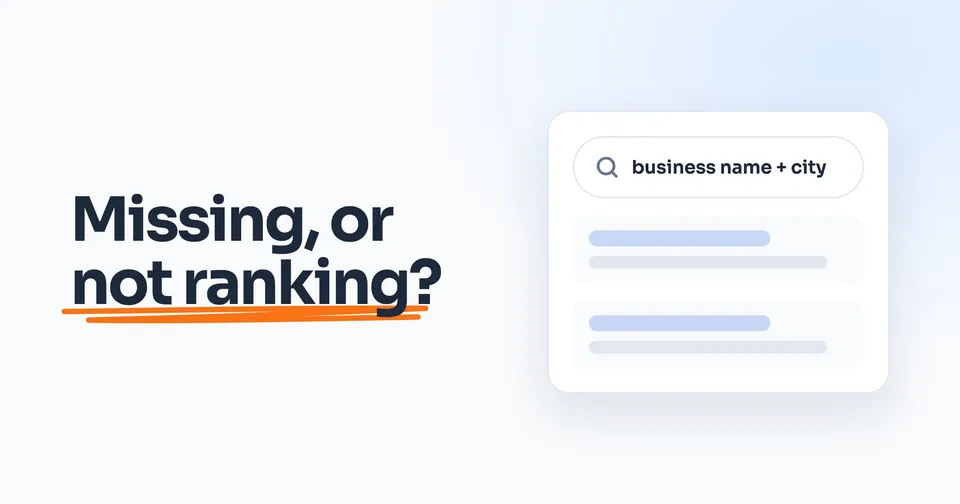
Search your business name and city on Google. If your listing doesn't come up, Google's help points to four causes: nobody claimed it, it isn't verified, it's suspended or marked a duplicate, or it breaks one of Google's rules. If it shows for your name but not for "plumber near me", it isn't missing. That's ranking.
The rest of this guide shows you how.
On this page
- First, find out which one is missing
- Check 1: Is there a listing, and is it yours?
- Check 2: Is it verified?
- Check 3: Is it suspended, or marked a duplicate?
- Check 4: Does it follow Google's rules?
- Check 5: Did you just set it up or change something?
- Check 6: It's there, just not for "plumber near me"
- The order to work in
If you search your business name and city and your Google listing (the map one with your reviews and the Call button) doesn't come up, Google's help pages name the usual causes. Nobody claimed it. It isn't verified. It's suspended, or Google thinks it's a duplicate. Or it breaks one of the rules that trip up businesses that go to the customer, like showing a home address.
If your listing does come up for your name but not when you search "plumber near me", it isn't missing. It's ranking lower than you'd like, and that's a different job.
Run the checks below in order: each one only matters once the one before it passes.
First, find out which one is missing
Grab your phone and search your business name and the city you're in. That one search tells you which problem you have. On Google, that listing is called your Google Business Profile.
Do the search signed out of the Google account that manages your listing. Google says a suspended listing "won't show to other users", so you may still see yours when customers can't.
| What you see | What it means | Where to go |
|---|---|---|
| Your listing and your website | Nothing is missing | Check 6, ranking |
| Nothing, or your website but no listing | The listing is the problem | Check 1 |
| Your listing, but not your website | The website is the problem | How to get your website to show up on Google |
Check 1: Is there a listing, and is it yours?
If there's no listing at all, add one at business.google.com/add. If one exists but nobody claimed it, find it on Google Maps and select Claim this business, then Manage now. Either way, Google says "You can add or claim your business at no charge."
If Google says someone else manages it, don't make a second one. It may be whoever set it up years ago, like an old web company. Ask for ownership, and Google gives the current owner 3 days to answer. One catch for a business with no shop or office: Google's normal request form isn't your route. Google's page says to contact its support team instead and choose "Transfer ownership of listing."
If a company manages the listing for you, Google's rules for agencies are on your side: "all end customers must retain ownership or co-ownership of their Business Profile at all times."
Check 2: Is it verified?
Verifying is how you prove to Google that the business is yours, and it decides everything: "Only verified businesses can show their business info on Maps and Search." If your listing still shows a Get verified button, that's your answer, and nothing else in this guide matters until it's done.
You don't get to pick how. Google may offer a phone call or text, an email, a video, or a postcard, and "Verification methods are automatically determined by Google and can't be changed." If Get verified comes back afterward, Google says that "means Google couldn't completely verify your business." Try again, with another method if one is offered.
Check 3: Is it suspended, or marked a duplicate?
If your listing breaks Google's rules, it "becomes disabled or suspended and won't show to other users on Google until you resolve the issue." Google sends a notice to the Google account that manages it, so check that account first.
The fix starts in Google's appeals tool. It shows why Google took the listing down and links the rule it broke, so you know what to fix before you appeal. You can add proof, like a business license, your registration or a utility bill, and Google asks that the business name and address on it match the listing. And whatever you do: "Do not create a new Business Profile for the same business while your appeal is under review."
Duplicates hide a business too. Google's rule: "If a profile is considered a duplicate, it won't show on Google Search or Maps." If you find two listings for your business, keep one, and list your services on it rather than making a listing per service.
Check 4: Does it follow Google's rules?
Two of these rules are written for businesses that go to the customer, which Google calls service-area businesses. The other three apply to every business, and all five are easy to break by accident.
Your address is hidden
"If you're a service-area business, you should hide your business address from customers." Google's own example is a plumber who runs the business from home: clear the home address from the listing. You set the areas you serve instead.
The exception is a business that also serves customers at its address, like a shop with a showroom. That location "should be staffed by your team and able to receive customers during its stated hours."
Your service area is about two hours, at most
You can list "up to 20 service areas", by city or ZIP code, and "You can't set your service area as a radius distance around your business." Google also says the whole area shouldn't reach past "about 2 hours of driving time from where your business is based." It adds: "For some businesses, larger service areas may be appropriate." So two hours is the guideline, not a hard wall. But if you list cities four hours away to catch more searches, you're working against Google's own rule.
Your name is your real name
"Your name should reflect your business's real-world name, as used consistently on your storefront, website, stationery, and as known to customers." That means the name on your truck and your invoices, with nothing added: no "emergency drain cleaning", no city, no phone number. Break it and you risk the listing: "Including unnecessary information in your business name isn't permitted, and could result in the suspension of your Business Profile."
Google's examples show where the line is. "Midas Auto Service Experts" isn't allowed, because "Service Experts" isn't part of the name. "Airport Direct 1-888-557-8953" isn't allowed either. But "1-800-Got-Junk" is fine, because that really is the company's name.
A real address, not a mailbox
"Businesses with a P.O. Box address aren't permitted on Google Business Profile." A rented mailing address you don't work from, which Google calls a virtual office, isn't eligible either. Hiding your address doesn't change this rule.
A few categories, the right ones
Your categories tell Google what you do, and Google's rule is short: use "as few categories as possible to describe your overall core business". Pick the one that says what you are, and add others only for work that's a real part of the business.
Check 5: Did you just set it up or change something?
Sometimes nothing is wrong, and Google is just slow. Before you change anything else, check how long Google says each step takes.
| What happened | What Google says |
|---|---|
| You edited your info | Changes "can take up to 3 days to appear" |
| You changed your service areas | Edits "may take up to 48 hours to show" |
| You finished verifying | "verification reviews take up to 5 business days" |
| You're a new business | "Rankings for new businesses can take up to a month to appear in search results" |
Check 6: It's there, just not for "plumber near me"
If your listing shows for your own name, where it ranks for "plumber near me" comes down to three things, Google says. Relevance: "how well a Business Profile matches what someone is searching for." Distance: "how far each business is from the customer who's searching." Prominence: "how well-known a business is." Distance you mostly can't change. The other two you can: a complete, accurate Google listing, and reviews from real customers. Google says "More reviews and positive ratings can help your business's local ranking." Send every customer the same review link, and for the one bad review that stings, here's what Google will and won't take down.
Nobody can buy their way past this. Google says "There's no way to request or pay for a better local ranking on Google." Its rules for agencies list "Guarantees top placement on Google" as something an agency may not claim. So a promise of the top spot is one Google's rules forbid an agency to make.
The order to work in
- Search your business name and city, signed out, to see which problem you have.
- Find or claim the listing, and ask for ownership if someone else holds it.
- Finish verification.
- Check for a suspension notice or a second listing.
- Hide your address, keep your service area within about two hours, and use your real name.
- Give Google the time it says.
- Then work on ranking: a complete listing and reviews from real customers.
People also ask
How long does it take for my business to show up on Google after verification?
Google says verification reviews take up to 5 business days once you finish the steps. Separately, rankings for a new business can take up to a month to appear in search results, and any edit you make can take up to 3 days to show. If it has been longer than that, work through the checks above.
Can I pay to make my business show up on Google Maps?
Not in the free results. Google says "There's no way to request or pay for a better local ranking on Google." Adding or claiming your listing is free, and where it ranks comes down to how well it matches the search, how far you are from the person searching, and how well-known you are.
Why is my business not showing up on Google Maps?
On Google, your listing on Maps and your listing in search results are the same Business Profile, so the checks are the same: is it claimed, is it verified, is it suspended or marked a duplicate, and does it follow Google's rules. For a business that goes to the customer, check these rules first: a hidden address, a service area of about two hours' driving at most, and your real business name with nothing added.
Will getting more reviews help my business appear on Google?
Reviews don't fix a listing that is missing, but they help one that is there. Google says "More reviews and positive ratings can help your business's local ranking." Send the same review link to every customer: Google's rules say businesses may not "selectively solicit positive reviews from customers."
Should I hide my address on Google if I work from home?
If customers don't come to you, yes. Google's guidelines say a service-area business "should hide your business address from customers", and its own example is a plumber running the business from home. You then set the areas you serve instead, up to 20 cities or ZIP codes.
Sources
- Google Business Profile Help, Find your business on Google, read 25 September 2026.
- Google Business Profile Help, Add or claim your Business Profile, read 25 September 2026.
- Google Business Profile Help, Request ownership of a Business Profile, read 25 September 2026.
- Google Business Profile Help, Verify your business on Google, read 25 September 2026.
- Google Business Profile Help, Fix suspended or disabled profiles, read 25 September 2026.
- Google Business Profile Help, Resolve duplicate profiles and ownership issues, read 25 September 2026.
- Google Business Profile Help, Guidelines for representing your business on Google, read 25 September 2026.
- Google Business Profile Help, Manage your service areas, read 25 September 2026.
- Google Business Profile Help, Overview of Google Business Profile policies, read 25 September 2026.
- Google Business Profile Help, Tips to improve your local ranking on Google, read 25 September 2026.
- Google Business Profile Help, Business Profile third-party policies, read 25 September 2026.
- Google Maps User Generated Content Policy, Prohibited and restricted content, read 25 September 2026.
Keep Reading
 Stage 1: Foundation How to Get Your Website to Show Up on Google If it's your website Google can't find, not your listing. 6 min read · Read the Guide →
  Stage 1: Foundation How to Remove a Bad Google Review, and What to Do If You Can't What Google takes down, and what to do with a bad review that stays. 8 min read · Read the Guide →
  Stage 1: Foundation How to Track Phone Calls From Your Website Once you show up, find out which calls came from Google. 9 min read · Read the Guide →