
Google Ads Location Targeting for Two or More Locations
Are your own locations bidding against each other on Google Ads? Google's rules say that isn't what sets your price. Here's what does go wrong, and the targeting that fixes it.

The short answer
By Google's own rules, two locations you own shouldn't be raising each other's click price. In one account, your keywords that match the same search and point to the same website "don't compete with each other in the auction," and one business may show only one ad in each spot on the page. The real costs are targeting that overlaps, so a searcher reaches the wrong branch, and budgets split across accounts.
The rest of this guide shows you how.
On this page
If you run Google Ads for two or more locations, you've probably heard that they bid against each other and push up each other's price. For locations you own, Google's own rules say otherwise. Inside one Google Ads account, your keywords that match the same search and point to the same website "don't compete with each other in the auction." Across accounts, one business may show only one ad in each spot on the page. So if you bought the shop in the next town and now run two accounts, they shouldn't be bidding up each other's clicks, as long as Google counts both as your business. More on that below.
What does go wrong is quieter. The two branches' targeting overlaps, so a customer down the road from one branch gets the ad, and the call, for the other. The budget sits in two places that can't share it. And two accounts reaching for the same spot on the page breaks Google's policy.
Do your own locations bid against each other?
Two terms first. An ad location is a spot on the results page where ads can appear, like the top of the results. Ad Rank is Google's score for whether your ad shows and where, built from your bid, the quality of your ad and landing page, and the context of the search, among other things. Google Ads for contractors covers how that auction works for one market.
Inside one account
Start with the simple case: both branches' campaigns sit in one Google Ads account and send people to one website. When several of your keywords match the same search, Google says "they don't compete with each other in the auction," and "Only one of those keywords can trigger an ad for the term." One of your campaigns shows, and the other sits that search out.
Google picks which one in a set order. A keyword identical to the search comes first. Next is the ad group most relevant to the search, judged from its keywords and landing pages. Last is the higher Ad Rank. Distance from the customer to each branch isn't on that list, and nothing in Google's help says the nearer branch wins.
Location targeting decides something earlier: whether a campaign can show at all. A campaign can only serve searches its targeting covers. By default, that includes people elsewhere who show interest in the area, which is one place overlaps come from.
Across two accounts
Now the case most owners mean: the shop you bought still runs its own account. Google runs a separate auction for each ad location. Its Unfair advantage policy doesn't allow "trying to show more than one ad for your business" in a single ad location. Since 14 April 2025, one business can appear in more than one ad location on the same page, but only once in each.
What you pay for a click is set by Google's minimum for that spot and the ads ranked below yours. Google says you pay what's needed to "clear the Ad Rank thresholds and beat the Ad Rank of the competitor immediately below you," and that the competitors below them have a say too. Under the policy, your other branch shouldn't be one of those ads.
Two limits on that. First, Google doesn't publish how its systems handle two accounts of one business that both reach for the same spot, which is why we say "shouldn't" and not "can't". If it happens, it breaks the policy and is worth fixing. Google says a policy warning comes at least 7 days before any account suspension.
Second, it all rests on Google counting both shops as your business, and the policy doesn't define the word. A shop you bought that keeps its own name, website and account is the gray area: if Google treats it as separate, the two compete like any two advertisers. Franchisees with different owners are more likely to count as separate businesses. If Google treats them that way, they compete like any two advertisers too, and one can be the ad that sets the other's price. That's the one situation where two locations of one brand can push up each other's costs.
What actually goes wrong: the search reaches the wrong branch
Both branches' campaigns often target the towns in between, because nobody drew a line. A customer there searches, and both campaigns are eligible. In one account, Google shows one, in the order above. Across two accounts, Google doesn't say which. Either way, the nearer branch isn't guaranteed the ad.
So a customer five minutes from one branch can get the ad, and the call, for the branch 40 minutes away. Your crew drives the extra miles or turns the job down, and the click is paid for either way.
The default setting makes the overlap bigger than it looks on the map. Google's default, Presence or interest, reaches people "likely to be in or regularly present in your targeted location, as well as people who have shown interest in your targeted locations." Google says people show interest "through terms used in their searches, if they were recently in a location, or through content they view related to the location." So each branch can also show to people who live nearer the other one, or far from both.
Some overlap survives any setting. Google calls location targeting its "best effort" and says "100% accuracy is not guaranteed in every situation." Fix the overlap you built in, and expect a few stray clicks.
Two accounts can't share a budget
Two accounts mean two budgets that can't lend to each other. Inside one account, a shared budget is "a single average daily budget that's shared by multiple campaigns in an account." Google says it works by "allowing underutilized budgets to automatically reallocate to budget-capped campaigns." Across two accounts, nothing moves on its own. If one branch has a slow week, its money sits unspent while the other branch's ads stop by noon.
Reporting splits too, and that half has a fix. A manager account is "a Google Ads account that lets you easily view and manage multiple Google Ads accounts." It lets you "compare performance across all accounts and run reports for multiple accounts at once." A combined report still averages, though: a blended cost per lead, what you pay for each call or form, can look fine while one market carries the other.
Drawing the lines: location targeting, market by market
Presence, or Presence or interest
Google offers two settings. Presence reaches only people "likely to be located, or regularly located in the locations you've targeted." The default, Presence or interest, adds the people interested in the area.
Google calls broad targeting "recommended as a best practice on Search." It suggests Presence when "You only want to target users in specific locations and not users who may be in other locations but are still interested in your product or service."
A crew that drives to the job usually fits that second case, but not always. A homeowner arranging work on a parent's house from another city is a real customer, and Presence would miss them. Look at where your booked jobs actually came from before you switch.
A radius, or a list of zip codes
A radius is quick to set, and it's an easy way to build in an overlap: two circles around two branches can share a band of towns. Google says "Radius targeting requires setting a radius of at least 1 km around any given location." It warns that a small radius "could mean that your ads might only show intermittently or not at all."
A list of zip codes or cities takes longer and lets you hand each town to one branch. Google's own advice runs the same way: where one area does better, "run separate campaigns targeted only to the more successful areas," so it gets its own bids and budget.
Exclusions win ties
An exclusion is a place you tell a campaign to stay out of. Google's rule: "If an area is both included and excluded in your location targeting settings, exclusion takes priority." Its own example is a Hawaii business with no location on Maui: target the state, exclude Maui.
Google says "there's no need to exclude areas that you haven't already targeted," with one exception: when you target by interest. So exclusions matter in two cases. One is a campaign whose target is wider than its branch's territory, like a whole county or a radius. The other is any campaign left on Presence or interest, which can reach people in the other branch's area through their searches. In both, exclude the other branch's core zip codes. Exclusions go by where people are: by default, Google excludes "people likely to be located in your excluded locations."
Decide who owns the overlap
The band between your branches has to belong to someone. Give it to the branch with room on the schedule, the shorter drive or the better close rate there. Write the decision down and revisit it each quarter.
Then send each branch's ads to that branch's own page. Google's advice: "send customers to the landing page most relevant to their geographic areas." What makes a branch page worth sending people to is in location pages vs doorway pages.
One account, or one per location?
Either can work. Here is what each one does and can't do.
One account can give you a shared budget that moves between markets. Google offers shared budgets on Search, Shopping, Display and Video campaigns, not on Performance Max. When your campaigns point to the same website, Google shows one of them per search, picked by your targeting and its priority order.
Separate accounts keep billing apart, which some owners want when a location might be sold one day. A manager account can still put their numbers side by side. Separate accounts can't share a budget, and they aren't allowed to show two ads for one business in the same spot.
If the shop you bought keeps its own website, one more line applies. Google's policy says "Each website or app that you promote should offer distinct value to users," with the example that "you should avoid promoting similar products and prices across related destinations." Two websites for one business, with the same services at the same prices, are close to what that sentence warns against.
What to compare once the lines are drawn
Once each town belongs to one branch, each market's numbers are its own. Put the same four side by side for every market each month: ad spend, leads, booked jobs, and cost per booked job, your ad spend divided by the jobs the ads actually booked. Give each branch its own tracking number, so every call lands in the right column.
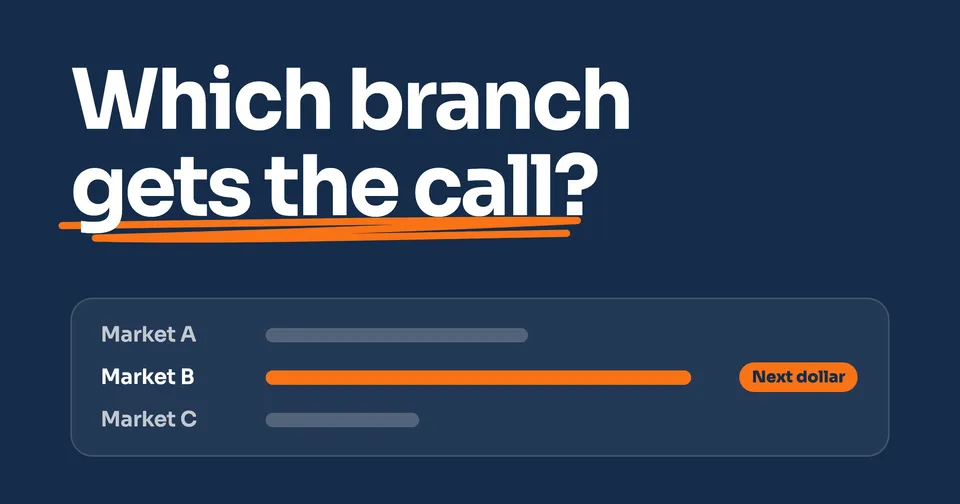
Side by side, you see which market should get the next dollar. The full market-by-market comparison covers visibility and calls too, and break-even ROAS gives each market its own line to clear.
When to run your markets as one
If you run one location, the Google Ads guide covers what you need. From the second market on, the job changes. Someone has to own the lines between branches, the budget between them, and the comparison that says which one earns the next dollar. If you're adding a market, the order to set one up starts months before the ads.
Enterprise is those three jobs for every market you run: targeting drawn by market, one pooled ad budget, and every market compared side by side on one dashboard.
People also ask
How do I set up location targeting in Google Ads?
In the campaign's settings, open Locations and add the countries, cities, zip codes or radius you serve. Then check the location option: Presence or interest is the default, and Presence reaches only people in or regularly in those places. Google warns that selecting a small location "could mean that your ads might only show intermittently or not at all." With two branches, set this for each branch's campaign, not once for the whole business.
How do I target a radius around a location?
Enter the address at the center, then the distance, and pick the unit from the dropdown. Google says "Radius targeting requires setting a radius of at least 1 km around any given location." Two circles around two branches often overlap, so decide which branch gets the towns they share and exclude those towns from the other: when an area is both included and excluded, "exclusion takes priority."
Should I use Presence or Presence or interest?
Presence or interest is Google's default, and it also reaches people outside your area who show interest in it. Google suggests Presence when you only want people in the places you target. A crew that drives to the job usually fits that, but check where your booked jobs came from first: a customer arranging work from another city is still a customer.
Can I run Google Ads for multiple locations in one account?
Yes. You can give each location its own campaign with its own targeting, and Search campaigns in one account can share a budget. When several of your keywords match one search and point to the same website, Google says they "don't compete with each other in the auction." Only one can trigger an ad, so draw the targeting so that one location's campaign is the one eligible in each town.
Do franchise locations compete with each other in Google Ads?
It depends on whether Google sees them as one business. Its Unfair advantage policy doesn't allow "trying to show more than one ad for your business" in a single ad location, but it doesn't define "business". If Google treats franchisees with different owners as separate businesses, each in their own account, they compete like any two advertisers, and one can be the ad that sets the other's price. That is the one case where locations of one brand can push up each other's costs.
Sources
- Google Ads Help, About ad group and asset group prioritization within a Google Ads account, read 2 October 2026.
- Google Ads Help, About Ad Rank, read 2 October 2026.
- Google Ads Help, Actual cost-per-click (CPC): Definition, read 2 October 2026.
- Advertising Policies Help, Unfair advantage, read 2 October 2026.
- Advertising Policies Help, Update to the Unfair advantage policy (April 2025), read 2 October 2026.
- Google Ads Help, About advanced location options, read 2 October 2026.
- Google Ads Help, Target ads to geographic locations, read 2 October 2026.
- Google Ads Help, Exclude ads from geographic locations, read 2 October 2026.
- Google Ads Help, Refine your location targeting, read 2 October 2026.
- Google Ads Help, About shared budgets, read 2 October 2026.
- Google Ads Help, About Google Ads manager accounts, read 2 October 2026.
Keep Reading
 Stage 3: Enterprise Local SEO for Multiple Locations: What to Do After Setup The side-by-side comparison of your markets, for visibility, calls and cost per lead. 7 min read · Read the Guide →
  Stage 3: Enterprise Opening a Second Location? The Marketing to Set Up First The order to set up a new market, from the listing to its own ads. 9 min read · Read the Guide →
  Stage 3: Enterprise Break-Even ROAS for a Service Business, Market by Market The return each market's ads have to clear, worked out from your margin. 9 min read · Read the Guide →