
Local SEO for Multiple Locations: What to Do After Setup
The setup checklist every guide covers, then the part they skip: how to tell which of your markets is actually working, and what to do about it.

The short answer
Local SEO for multiple locations starts with a Google Business Profile per real, staffed location, the same name and details everywhere, one page per location and the right categories. That part is table stakes. The part that separates a coordinated operation from five disconnected ones is comparing visibility, calls and cost per lead across markets on a set schedule, so budget and attention move toward what's working instead of getting split evenly by default.
The rest of this guide shows you how.
On this page
Running two or three markets isn't the same job as running one, twice or three times over. Most guides on local SEO for multiple locations stop at the setup checklist: a Google Business Profile per address, matching business info, a page per location. Necessary, but it's the easy half.
The harder half, and the one almost nobody writes about, is what happens after the checklist is done. Once every location has a profile and a page, how do you know which one is actually working?
The setup, fast
This part is well covered elsewhere, so we'll move quickly. Get it right once and you rarely have to think about it again.
One Google Business Profile per real location. Google's guidelines give each location its own profile, and say: "Do not create more than one page for each location of your business, either in a single account or multiple accounts." One profile trying to represent five addresses isn't a shortcut, and we'll come back to what Google does about it.
A service-area business, one that goes to its customers, gets one profile for its central office with a service area, per the same guidelines. A new market gets its own profile only once it has a real location: permanent signage, and staffed during business hours. A virtual office doesn't count, and a listing for a market with no location behind it is exactly what Google removes.
The same name and details everywhere. Each location's name, address and phone should match wherever it's listed: its Google Business Profile, its page on your website, and the directories that list it. Google's guidelines add a rule for businesses with several locations: "All business locations within the same country must have the same name for all locations," unless your locations really use different names on their storefronts.
One page per location, on one website. Not a separate website per market: one website is one set of pages to keep fast, accurate and up to date. Each page needs to be genuinely written for that market, not the same paragraph with the city name changed. Google's spam policies list "pages targeted at specific regions or cities that funnel users to one page" as doorway abuse (more on that below).
Categories and services per location, not copied across. If one location does a service the others don't, its profile should say so. Google ranks local results partly on relevance, "how well a Business Profile matches what someone is searching for," so each profile should list what that location actually does.
Get these four right and you've matched what every other guide on this topic covers. It's necessary. It's also the floor, not the ceiling.
The part every guide skips: knowing which location is actually working
Finishing the setup checklist feels like the finish line. It isn't. It's the start of the actual work.
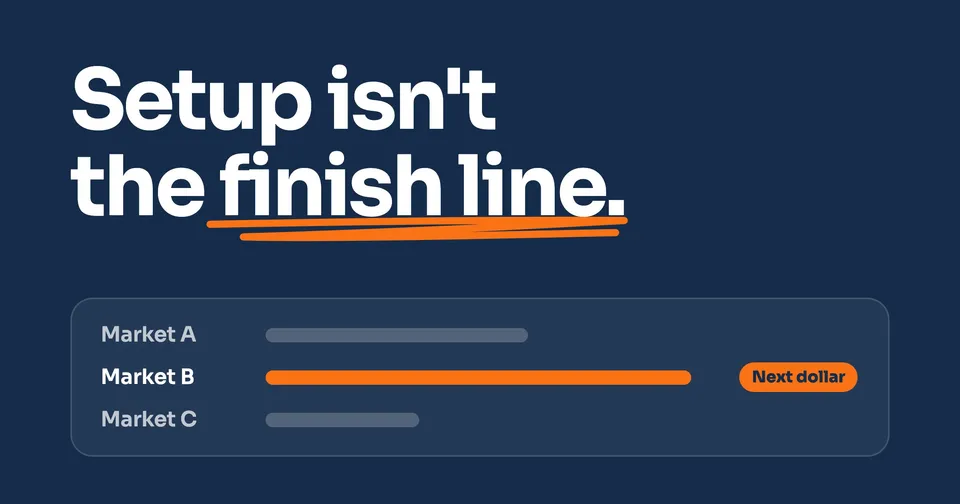
Here's the problem in practice. Say you run three locations, all with clean profiles, matching NAP and their own page. Without a shared way to look at how each one is doing, your attention and your budget default to an even split. Every market gets the same share of your time, the same ad spend if you're running any, the same "how's it going" glance once a month. Not because that's the right allocation, but because there's no signal telling you otherwise.
Meanwhile, one of those markets might be quietly outperforming the other two. Its profile is picking up more searches, its page is converting better, its cost per lead (where paid spend is in play) is lower. Without comparing markets side by side, you'd never know, and the market that's actually working gets the same resources as the ones that aren't.
This is the difference between running one coordinated operation and running several separate ones that happen to share a logo. The setup work makes every location visible. Only an ongoing comparison tells you which visibility is turning into calls, and where the next dollar of attention should go.
What to compare, market by market
Keep this at the method level. The specific tools and numbers will differ by business; the categories don't.
Visibility. How often is each location's profile and page showing up, and where in the results. Impressions and rank trend, tracked per location, not blended into one number for every location. One blended average hides the location that's invisible behind the one that's dominating.
Calls and leads. How many real inquiries each location is generating, not just traffic. A page with plenty of visitors and no calls has a visibility problem solved and a conversion problem still open. Tracking calls back to their source is what makes this comparison possible in the first place: without it, you know a location's page got visitors, not whether any of them picked up the phone.
Cost per lead, where paid spend is in play. If you're running ads in some or all markets, what each lead actually costs, market by market. Two locations can spend the same amount and get very different results.
A made-up example shows the idea. Say Market A gets 40% of your total impressions but only 20% of your calls, and Market B gets 25% of impressions and 45% of calls. That gap is the whole point of comparing. It tells you Market B is converting its visibility far better than Market A, which is worth understanding, whether that means Market A's page needs work or Market B's reviews and reputation are doing more of the heavy lifting.
A market comparison habit, not a one-time report
A report you run once, right after launch, tells you where you started. It doesn't tell you anything about where you are three months later, and markets don't hold still. One location's competitor starts running ads. Another gets a wave of new reviews. A third loses its top organic ranking to a new competitor listing.
Treat the comparison as a habit, on a set schedule, not a project you finish once.
Monthly, at minimum. Pull visibility, calls and cost per lead for every market, side by side, on the same day each month. The point isn't the snapshot. It's the trend, which only shows up once you've got a few of these side by side.
When one market pulls ahead, ask why before you act. A market suddenly converting better might mean its page or profile is genuinely stronger, or it might mean a competitor nearby went quiet, or the season changed differently in that market. The habit is looking regularly enough to catch the shift while it's still useful information, not waiting until a quarter has gone by.
Shift budget and attention toward what's working, and investigate what's lagging. If paid spend is part of the mix, that's often the most direct lever: move budget toward the market with the lower cost per lead. Where it's organic-only, "shifting budget" looks more like time: more review requests, a stronger page, more local citations in the market that's underperforming, or doubling down on what's already working in the market that's ahead.
Copy what's working, don't just react to what isn't. If one location's page structure, review volume or category setup is clearly outperforming the others, that's a template for the rest, not a coincidence specific to that market.
This is where the comparison earns its keep. Setup makes every location visible. The habit is what turns that visibility into a decision about where the next dollar and the next hour of attention actually go.
Common failure mode: one profile, or one page, trying to cover several locations
The most common way multi-location SEO goes wrong isn't complicated. It's trying to save time by not doing the setup work per location.
One Google Business Profile covering several addresses. It looks efficient: one profile to manage instead of three or five. Google's duplicate-profile rules are plain: "Multiple profiles for the same business may mislead your customers and are against our policies," and "If a profile is considered a duplicate, it won't show on Google Search or Maps." The time saved managing one profile instead of several gets erased the moment that one profile stops appearing anywhere a customer could find it.
One page, copy-pasted across cities. The website version of the same mistake: a template page with the city name swapped and nothing else changed. Google's spam policies name exactly this as doorway abuse: "pages targeted at specific regions or cities that funnel users to one page." And even where such pages don't get flagged, they don't do the job a location page is supposed to do, which is tell a searcher something real and specific about that market. A location page has to earn its place with real content, not a find-and-replace on the city name.
Both failures come from the same instinct: treating multiple locations as one big location instead of several distinct ones that happen to share a brand. Google's own ranking guidance backs this up directly. Local results run on relevance, distance and prominence, evaluated per profile, per search: "Distance refers to how far each business is from the customer who's searching," and prominence depends on that specific profile's own signals, "how many websites link to your business and how many reviews you have." A search near Market B is ranked partly on how far each business is from that searcher, so Market A's strong profile does little for it. Each location has to be built, separately.
When it's time to stop running locations separately
If you're a solo location, none of the comparison work above applies to you yet. Build the setup, get it right, and move on.
Once you're running two markets or more, the math changes. Every additional location adds its own setup work, and without a shared way to look at the results, it adds one more disconnected effort you're trying to keep in your head. Five locations run as five separate accounts, five separate habits, five separate sets of guesswork, isn't a multi-market operation. It's five single-location businesses that happen to share a name.
The alternative isn't complicated in concept, even if it takes real work to run well: one account, every market's setup done right, and a standing habit of comparing them so budget and attention go where the results are, instead of splitting evenly by default. If you're already juggling more than one market and want that comparison handled for you, that's what Enterprise is built for.
People also ask
Can I have one Google Business Profile for multiple locations?
No. Google's guidelines give each real location its own profile and say not to create more than one per location. A service-area business with one office gets one profile with a service area; a market needs its own staffed location before it gets its own profile. A profile Google considers a duplicate won't show on Search or Maps.
Should each location have its own website or its own page?
Its own page on one website, not its own website. One website is one set of pages to keep fast, accurate and up to date. Each location's page should be genuinely different, written for that market: Google's spam policies name pages targeted at cities that funnel people to one page as doorway abuse.
How many Google Business Profiles can one business have?
One per eligible location. A business with 10 or more locations can verify them in bulk with a spreadsheet in Business Profile Manager. Service-area businesses can't use bulk verification.
How does local SEO ranking work for multiple locations?
Each profile ranks on its own, based on relevance to the search, distance from the searcher and how prominent the business is. A strong profile in Market A does little for a search near Market B. That's exactly why each location needs its own profile and page, and why each market's results have to be read separately.
Sources
- Google Business Profile Help, Guidelines for representing your business on Google, read 24 September 2026.
- Google Business Profile Help, Resolve duplicate profiles & ownership issues, read 24 September 2026.
- Google Business Profile Help, Tips to improve your local ranking on Google, read 24 September 2026.
- Google Business Profile Help, Verify your business in bulk, read 24 September 2026.
- Google Search Central, Spam policies (doorway abuse), read 24 September 2026.
Keep Reading
 Stage 1: Foundation How to Track Phone Calls From Your Website The same call and source data this post asks you to compare, market by market. 9 min read · Read the Guide →
  Stage 1: Foundation How to Get Your Website to Show Up on Google What gets one website found. Do this once per location, not once for all of them. 6 min read · Read the Guide →
  Stage 1: Foundation Best Contractor Website Examples (And Why They Convert) What a page that actually converts has in common, location page or not. 7 min read · Read the Guide →