
Location Pages vs Doorway Pages: One Page per Market, Done Right
A location page is fine when it tells customers something true about that market. Here's where Google draws the doorway line, and the test we use on every page.

The short answer
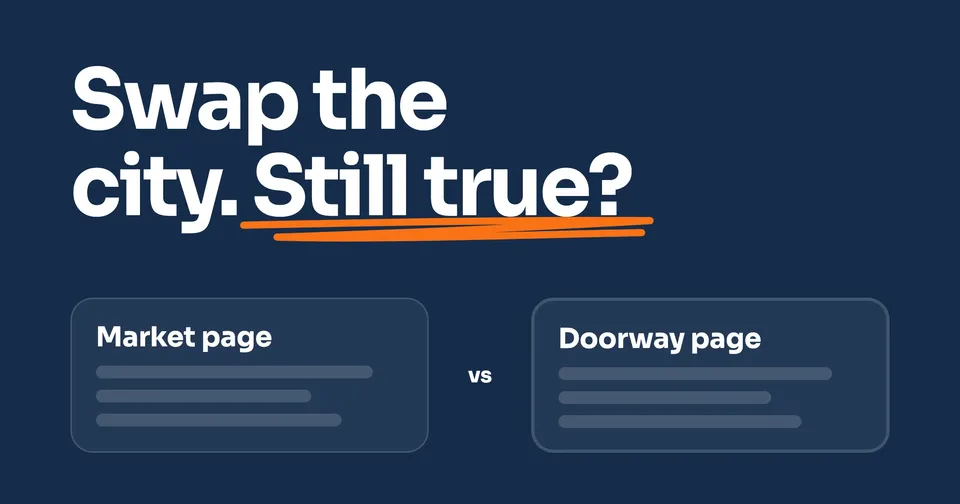
A market gets its own page when it has something real to say: its own crew, service area, reviews and jobs. Google's spam policies list city pages that funnel people to one page as doorway abuse. Google publishes no safe percentage. Our test: swap in another city's name. If the page is still true, it's a copy.
The rest of this guide shows you how.
On this page
- What Google actually says about doorway pages
- Who needs location pages, and who doesn't
- What we measured on our own old website
- What makes a market page different: the swap test
- Markets times services: where page counts explode
- Keyword cannibalization: when your own pages compete
- Reading the pages you already have, market by market
A page for each market is fine, and often the right call, when each page tells a customer something true about that market that no other page on your website does. It turns into a doorway page when it exists only to catch one city's searches and pass people along. Google's spam policies name that pattern directly: "pages targeted at specific regions or cities that funnel users to one page."
A penalty isn't the only risk. Google's own documentation describes a quieter one: when pages look the same, it groups them and shows the one it picks. We made the same mistake ourselves once, with trades instead of cities. So we hold every market page to one test: swap in another city's name, and see if the page is still true.
What Google actually says about doorway pages
Google's spam policies define it in two sentences: "Doorway abuse is when [websites] or pages are created to rank for specific, similar search queries. They lead users to intermediate pages that aren't as useful as the final destination." Its four examples:
- "Having multiple websites with slight variations to the URL and home page to maximize their reach for any specific query"
- "Having multiple domain names or pages targeted at specific regions or cities that funnel users to one page"
- "Generating pages to funnel visitors into the actual usable or relevant portion of a [website]"
- "Creating substantially similar pages that are closer to search results than a clearly defined, browseable hierarchy"
The consequence: "[Websites] that violate our policies may rank lower in results or not appear in results at all." Google's older guidance, from 2015, adds two questions worth asking of every market page: "Do these pages exist as an 'island?' Are they difficult or impossible to navigate to from other parts of your [website]?"
The quieter risk: Google folds near-copies together
Google's canonicalization page is calmer than most advice about duplicate content: "Some duplicate content on a [website] is normal and it's not a violation of Google's spam policies." What Google does instead: "If Google finds multiple pages that seem to be the same or the primary content very similar, it clusters them together," then picks one as the canonical, the one version it shows, "the most representative from a set of duplicate pages."
So five near-identical market pages may never draw a warning. They may just become one page in Google's eyes, and four markets go unseen.
Who needs location pages, and who doesn't
Google already draws this line for your Business Profile, the listing that shows on Maps. A business that travels to its customers without a storefront is "allowed one service-area Business Profile." Google adds: "If you have different locations for your service business, with separate service areas and separate staff at each location, you're allowed one profile for each location." Setting up every location's Business Profile has its own guide.
Use the same line for your website. A market with its own crew and its own trucks earns its own page, and that page is what its profile points to. Google's guidelines: "Provide a phone number that connects to your individual business location, or provide a website that represents your individual business location."
If you run one shop and cover ten towns, that's one service area, not ten markets. Ten town pages with the town name swapped are the pattern Google's examples describe. It's also why our own website has no city pages: we don't have a location in each city.
What we measured on our own old website
Our old website had a "Google Ads for [trade]" page for each trade we serve: 17 pages from one template, with each trade's name and numbers swapped in. We compared every pair of those pages as they stood on 24 July 2026: 43 to 52% of one page's eight-word phrases appeared word for word on the other.
By BrightLocal's rule of thumb, that sits inside the margin it calls safe. It suggests making "more than half of the page content unique", with 40 to 60% "a safe enough bet." Roughly half of each page did not appear on any one other page. That is the trouble with a percentage: it counts words, not whether the page has a reason to exist. Half of every page said nothing about its own trade. A percentage lets that through. The swap test does not.
Even the number moves with what you count. With the header, menu and footer included, the same pages measured 57 to 64% the same. And we make no claim about how they ranked: from 26 May to 22 July 2026, a noindex setting, the line in a page's code that tells Google not to list it, kept them out of Google's index.
What makes a market page different: the swap test
Copy the page for Market A, paste it onto Market B, and change the city name. Then read it. If every sentence is still true, you haven't written a Market B page. You've written one page twice.
What only that market has
The sentences that turn false are the ones doing the work. Each of these turns false in another market, as long as it is true in this one:
- who runs the branch there, and how long it has been open
- the area it actually covers, matching its Business Profile's service area
- that location's phone number and hours
- reviews from customers in that market, asked for with the same link as every other customer
- jobs done there, described the way the crew would tell it, with photos only if they're real
- services only that branch offers
Those are also the things someone choosing between you and the company across town wants to know.
What should stay the same
Some things should match on purpose. Google's Business Profile guidelines say "All business locations within the same country must have the same name for all locations", unless your locations really go by different names in the real world. And your service descriptions belong on one page each. Link to them from every market page instead of rewriting them with a new city name.
Every market page is part of the website
A market page that ends in a call button and a form is fine. The doorway is the page that exists only to pass people along, or the "island" Google asks about. Link every market page from your menu or a locations page, not just from a list of city links in the footer.
Markets times services: where page counts explode
The bigger jump comes when someone builds a page for every service in every market: water heater repair in Market A, in Market B, in Market C, and so on down the service list. Each page has a city name and the same four paragraphs.
Google names this in its fourth example: "substantially similar pages that are closer to search results than a clearly defined, browseable hierarchy." A hierarchy is the fix. Each service gets one page. Each market gets one page that links to them. A page for one service in one market earns its place only when that market really does it differently, with its own crew, its own process or its own price, and people there search for it.
Keyword cannibalization: when your own pages compete
Keyword cannibalization is the industry's name for two or more of your own pages going after the same search, so Google has to pick one and neither does as well as one strong page would. Google doesn't use the word in the documentation we read for this guide. The closest it comes is the duplicate case: when pages look alike, it groups them and picks one. You can suggest which one with a canonical tag, a line in the page's code naming the version you prefer. Google calls that "a hint, not a rule."
In a multi-market website it usually shows up in three places: a market page and a service page both written for the same search, two neighboring markets that both claim the towns on the border, and a service-in-a-market page that repeats its market page. You can see it in Search Console, Google's free tool for how your website shows in search. Filter the Performance report to one search, open the Pages tab, and look for two of your pages taking turns.
The fix is one page per search. Merge the weaker page into the stronger one, redirect it, and give every border town to one market page.
Reading the pages you already have, market by market
One number for "all our location pages" tells you almost nothing. If Market A's page is doing all the work, the total looks healthy while Markets B and C never show. Read each market page on its own: is Google showing it, is it bringing in calls, and is another of your pages showing up for its searches instead? Tracking calls back to the page they came from answers the second question.
Each page ends up in one of three places: keep it, rewrite it until its sentences turn false in any other market, or merge it into the page Google already prefers. Then check it again next month, the same way, next to the others: what to compare, market by market walks through that check. And if you'd rather have every market read side by side for you, that's what Enterprise is built for.
People also ask
What is a doorway page?
Google defines doorway abuse as pages "created to rank for specific, similar search queries" that "lead users to intermediate pages that aren't as useful as the final destination." One of its examples is pages "targeted at specific regions or cities that funnel users to one page." A page with a city name isn't the problem; a page that exists only to pass people along is.
Can I make location pages for areas where I don't have an office?
You can describe the areas you really serve, but Google's own line for a business that goes to the customer is one Business Profile with a service area, and a profile per location only with "separate service areas and separate staff at each location." A page per town with the town name swapped is the pattern Google's doorway examples describe. List the towns you cover on one page instead.
How much of a location page needs to be unique?
Google doesn't publish a percentage. BrightLocal suggests more than half, with 40 to 60% "a safe enough bet," but that's its own rule of thumb. Our old template pages shared 43 to 52% of their body text with each other, which sits inside BrightLocal's 40 to 60% margin, and close to half of every page still matched another. Use the swap test instead: if the page stays true with another city's name in it, rewrite it.
Is duplicate content a Google penalty?
Not by itself. Google says "Some duplicate content on a [website] is normal and it's not a violation of Google's spam policies." When pages look alike, Google groups them and picks one to show. That's often the real cost of near-copy market pages: only one of them shows up.
What is keyword cannibalization?
It's when two or more of your own pages go after the same search, so Google picks one and neither does as well as one strong page would. On a multi-market website it's often a market page and a service page written for the same search. Search Console's Performance report shows it: filter to one search, open the Pages tab, and count how many of your pages appear.
Sources
- Google Search Central, Spam policies for Google web search (doorway abuse), read 25 September 2026.
- Google Search Central Blog, An update on doorway pages (16 March 2015), read 25 September 2026.
- Google Search Central, What is URL canonicalization, read 25 September 2026.
- Google Business Profile Help, Guidelines for representing your business on Google, read 25 September 2026.
- Google Search Console Help, Performance report, read 25 September 2026.
- BrightLocal, How to craft unique and helpful location pages (updated June 2026), read 25 September 2026.
Keep Reading
 Stage 3: Enterprise Local SEO for Multiple Locations: What to Do After Setup Set every location up by Google's rules, then compare the markets. 7 min read · Read the Guide →
  Stage 1: Foundation Why Is My Business Not Showing Up on Google? 6 Checks When one location's listing is missing, the checks in order. 7 min read · Read the Guide →
  Stage 1: Foundation How to Get Your Website to Show Up on Google A market page has to be in Google's index before any of this matters. 6 min read · Read the Guide →