
Franchise SEO for Franchisees: What You Actually Control
Head office often owns the website. Your Google listing, your reviews and your local reputation sit closer to you. Here's what to ask for, and what to leave alone.

The short answer
If you're a franchisee, head office often owns the website and the domain, and your franchise agreement decides the rest. What sits closest to you is your territory's Google listing, your reviews and your local reputation. Ask head office for manager access to your listing and a location page you can feed real local facts into.
The rest of this guide shows you how.
On this page
- Who holds which lever in a franchise system
- Start with two documents: your agreement and your FDD
- Your Google listing: ask to be a manager
- Reviews: the lever head office can't earn for you
- Your location page: their page, your facts
- Local links and local reputation
- What not to do, even when it's tempting
- Two or more territories: read them one at a time
If you own a franchise, the website may not be yours to change. At the franchise systems we've looked at, head office owns the domain and picked the website vendor. That still leaves real work in your territory: your Google listing, your reviews, your local reputation and the facts on your location page.
The guides that rank for "franchise seo" are written for head office. But when someone in your territory searches for the work you do, Google's local results are based mainly on relevance, distance and prominence. Prominence includes your reviews and the websites that link to you, and your reviews are earned where your trucks are, not at headquarters.
Who holds which lever in a franchise system
Head office holds whatever your agreement gives it, often the website and the domain. It also runs brand advertising, and your franchise disclosure document has to say "whether media coverage is local, regional, or national." Your Google listing and your page on head office's website are shared, and your agreement decides who does what on them. The reviews your customers leave and your name around town come from your territory. Nobody at headquarters can earn them for you.
That split matters because of how Google ranks a local listing. Relevance is "how well a Business Profile matches what someone is searching for." Distance is "how far each business is from the customer who's searching." Prominence is how well-known the business is, and Google says it's based partly on "how many websites link to your business and how many reviews you have." Nobody can move distance. Relevance comes from the details on your listing, which a manager can edit. Reviews, the part of prominence closest to you, come in one job at a time.
Start with two documents: your agreement and your FDD
Your franchise agreement sets the rules. Your franchise disclosure document (FDD), which the FTC's Franchise Rule requires head office to give you at least 14 calendar days before you sign or pay anything, has to describe them in two places:
- Item 11, advertising. "The circumstances when the franchisor will permit franchisees to use their own advertising material," whether franchisees sit on an advertising council, and whether you must join "a local or regional advertising cooperative."
- Item 12, territory. Whether head office "has used or reserves the right to use other channels of distribution, such as the Internet," to sell in your territory under its trademarks, and any limits on you taking orders from customers outside your territory, including over the Internet.
Of the top five pages for "franchise seo" when we checked on 25 September, none mentioned the franchise agreement or the FDD. That's where your answers are. If your agreement says head office does something, head office does it, and we'd never suggest working around it. If it's unclear, ask in writing before you change anything. For what the agreement means legally, ask a franchise attorney, not a marketing company.
What to ask head office
We'd send head office five questions before touching anything:
- Who owns my location's Google listing, and can I be added as a manager?
- Does my territory have its own page on the website, and can I send you facts and photos for it?
- Where does my listing's website link point: my location page, or the homepage?
- Is the phone number on my listing mine, or a central line?
- What does the system allow for local sponsorships and local advertising, and where should those links point?
Your Google listing: ask to be a manager
Your Google Business Profile is the listing on Google Maps with your reviews and the Call button. Google says "Only business owners or authorized representatives may verify and manage their business information on a Business Profile." In a franchise, that may be head office rather than you, so ask who holds it for your location.
You don't need to own the listing to work it. Google says managers "have mostly the same access to the profile as owners. The only exception is they can't add or remove users or remove the profile." Its own table gives managers the rest: hours and address, the phone number, services, posts, photos, review replies and downloading insights. So the manager role is the one to ask for. (Here's what we do on a Google listing.)
Then keep to Google's rules, because they apply to every location in the system:
- Same name everywhere. "All business locations within the same country must have the same name for all locations." Google lets a franchisee, which it describes as "an authorized and fully dedicated seller of the branded product or service," use the brand name. Don't add your town to it.
- Same category. "All locations must also have the same category if they provide the same service."
- One listing per location. "Do not create more than one page for each location of your business, either in a single account or multiple accounts." Territories that go to the customer can each have one if they have "separate service areas and separate staff at each location." And if you're a service-area business, Google says you "should hide your business address from customers."
- Your phone and your page. Google asks you to "Provide a phone number that connects to your individual business location, or provide a website that represents your individual business location," and to "Use a local phone number instead of a central call center helpline number whenever possible." If your system routes calls to a central line, that's head office's decision, and it's question 4 on the list above.
If anyone helps you with the listing, us included, Google's third-party policy is plain: "make the business owner the owner of the profile, and make yourself the manager of the profile." When a business adds us, we're added as a manager, and the listing stays in the business's name.
Reviews: the lever head office can't earn for you
Ask every customer the same way, with the same link. Google's policy for Maps content doesn't allow merchants to "selectively solicit positive reviews from customers," and says merchants "should not require or pressure users to leave ratings or write reviews while on the premises." It counts "Merchants requesting that staff solicit a certain number of reviews" as part of that. If your system sets review targets per tech, raise it with head office and point to that line.
Replies count too. Google says "Positive reviews and helpful replies can help your business stand out," and a manager can reply. If nobody replies for your location, ask head office whether you may, or who does. For the asking itself, we cover getting more reviews within Google's rules step by step.
Your location page: their page, your facts
Head office owns your location page, but you're the one who knows what's true about your territory. If your listing links to a website, Google's guidelines ask for one "that represents your individual business location." Your facts are what make the page do that.
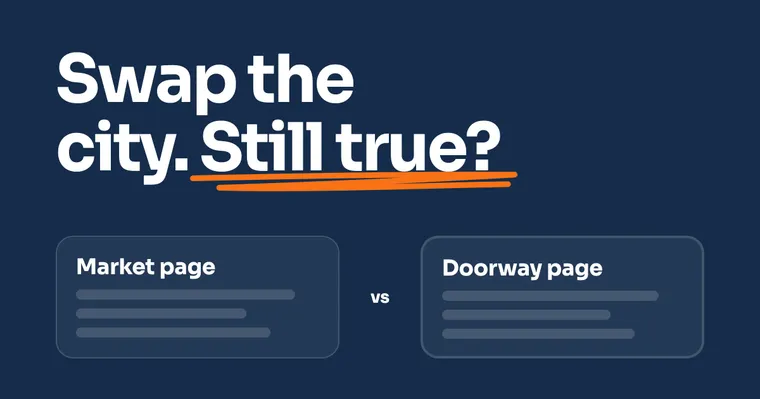
The quick test: take your page, change the town name to another territory's, and read it again. If every sentence is still true, it isn't about your territory yet. The full method, and where Google draws the doorway line, is in location pages vs doorway pages.
What to send head office, since only you have it:
- your crew, and how long you've served the area
- the towns you actually cover
- the jobs you do most, and any you don't take
- recent project photos, with the customer's OK
- reviews worth featuring
Local links and local reputation
Prominence isn't only reviews. Google also counts "how many websites link to your business." For a franchisee, the links within reach come from being known locally: a news story about a job you did, a supplier that lists the contractors it works with.
Sponsor the youth team to be seen by your neighbors, not for the link. Google's spam policies list "Buying or selling links for ranking purposes" as link spam, and that includes "Exchanging money for links." Before you put the brand's name and logo on a banner, check your agreement: Item 13 of your FDD lists the trademarks, "names, logos" included, that head office licenses to you. And when a local website does link to you, ask head office where the link should point. Your location page is the natural home, since it's the page about your territory.
What not to do, even when it's tempting
When head office is slow to fix your listing, building your own is tempting. Leave these alone:
- A second listing of your own. Google's rule is one listing per location, "either in a single account or multiple accounts." If head office already has one for your location, ask for access instead of building a copy.
- Your own website under the brand's name. The brand's name and logo belong to head office, and your agreement says how you may use them. Check it, and ask, before you buy a domain.
- Your own name or category. Google's naming and category rules above apply to every location, yours included.
- Paying for reviews. Google's policy says "Fake engagement is not allowed and will be removed," and it lists offering payment or discounts "in exchange for posting any review."
Two or more territories: read them one at a time
Own two or three territories and the question changes from "what can I do?" to "which territory is working?" Each one has its own listing, its own reviews and its own page, so read each territory's calls and listing numbers separately. One blended number hides the territory that's slipping. Google gives managers "Download insights" on every listing they manage, so ask for access to each of yours, then compare them market by market.
That's the work Enterprise is built for: every market in one account, compared side by side.
People also ask
Can a franchisee have their own website?
Your franchise agreement decides, because it controls how you may use the brand's name, so ask head office before you buy a domain. Google's guidelines ask for a phone number that connects to your location, or "a website that represents your individual business location." Where head office runs the website, that means a page for your territory on it, filled with facts that are true only there.
How is franchise SEO different from local SEO?
Google ranks a franchise location the way it ranks any local business, mainly on relevance, distance and prominence. The difference is who controls what. Head office often holds the website and the brand, while reviews and local reputation are earned in each territory, so franchise SEO works when both sides do their part.
How many reviews do I need per location to see a ranking lift?
Google doesn't publish a number. It says prominence is based partly on "how many websites link to your business and how many reviews you have," and that "There's no way to request or pay for a better local ranking on Google." Ask every customer with the same link, and compare your listing with the competitors near your customers rather than chasing a target.
Can I track how my own location is doing?
Your listing's numbers, yes, if you have access: Google gives managers the same "Download insights" ability as owners. The website side belongs to whoever owns the website, so ask head office for your location page's numbers each month. Calls are the number that matters most, and tracking where each call came from is its own setup.
Sources
- Google Business Profile Help, Tips to improve your local ranking on Google, read 26 September 2026.
- Google Business Profile Help, Manage your Business Profile owners and managers, read 26 September 2026.
- Google Business Profile Help, Business eligibility and ownership guidelines, read 26 September 2026.
- Google Business Profile Help, Guidelines for representing your business on Google, read 26 September 2026.
- Google Business Profile Help, Business Profile third-party policies, read 26 September 2026.
- Google Maps Help, Prohibited and restricted content (user contributed content policy), read 26 September 2026.
- Google Search Central, Spam policies for Google web search (updated 28 August 2026), read 26 September 2026.
- FTC Franchise Rule, 16 CFR 436.5, disclosure Items 11 and 12, read 26 September 2026.
- FTC Franchise Rule, 16 CFR 436.2, when the disclosure document is given, read 26 September 2026.
Keep Reading
 Stage 3: Enterprise Local SEO for Multiple Locations: What to Do After Setup Own several territories? What to compare, market by market. 7 min read · Read the Guide →
  Stage 3: Enterprise Location Pages vs Doorway Pages: One Page per Market, Done Right The swap test for your location page, in full. 8 min read · Read the Guide →
  Stage 1: Foundation How to Track Phone Calls From Your Website Calls are the number that matters most. Here's how to see where each one came from. 9 min read · Read the Guide →